Contents
Many users look for a way or method to unblock blocked websites using a VPN for computers and mobile devices (Android or iPhone) without programs (proxy breaker) in the Chrome browser for free. We will introduce you to the easiest site to unblock websites as well, in addition to downloading a free proxy breaker app for your phone or computer.
You may be forced to open a website and encounter a set of different messages preventing you from opening it, including: “Server took too long to respond” or “Error 403: The site is blocked, the client cannot access the link.”
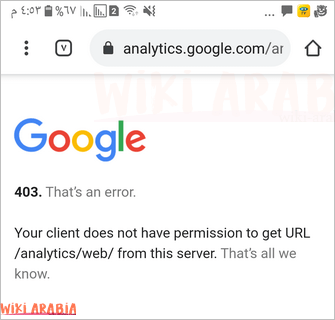
No matter how different the messages are, most or all of them carry the code or number 403.
Unblocking Websites on Android Devices via Chrome Browser
In truth, there is no difference between an Android device, an iPhone, the Chrome browser, or the Opera browser in the process of unblocking websites, as they all follow the same method, which is using a proxy breaker program or what is called a VPN.
Here the most important question arises: What is the best and easiest-to-use proxy breaker VPN program?
According to our experience at Wiki Arabic, there are many easy-to-use programs that we have tried on our devices, and here are the best ones. Just click on them to download from the Google Play Store, and they are definitely in APK format.
Each program has +100 million downloads from the Google Play Store alone!
Both programs are free, work securely and quickly, and offer multiple options such as: choosing the server or country you want to appear as browsing from. You can upgrade to paid plans if you want better speeds, but the free plan is good.
Once you run and open the program and press Start, your IP and country are changed by the program, and you can unblock websites on your phone—whether it is Android, iPhone, or otherwise—on any browser, even if it is Chrome, Opera, or Firefox.
How to Unblock Websites Without a VPN
The easiest way to unblock websites without downloading a VPN program and getting rid of this hassle is to use the Brave Browser (via the Tor network). This is the smartest method because it opens blocked sites inside the browser itself without an independent “VPN program.”
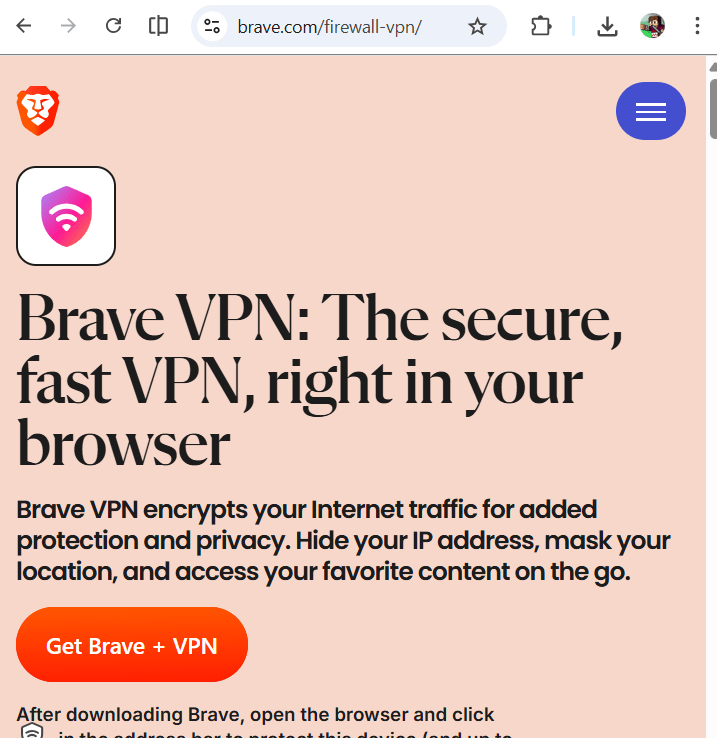
All you have to do is download the Brave browser through the link https://brave.com/firewall-vpn/. Click on Get Brave + VPN.
After that, the installation file will download directly as shown in the image:
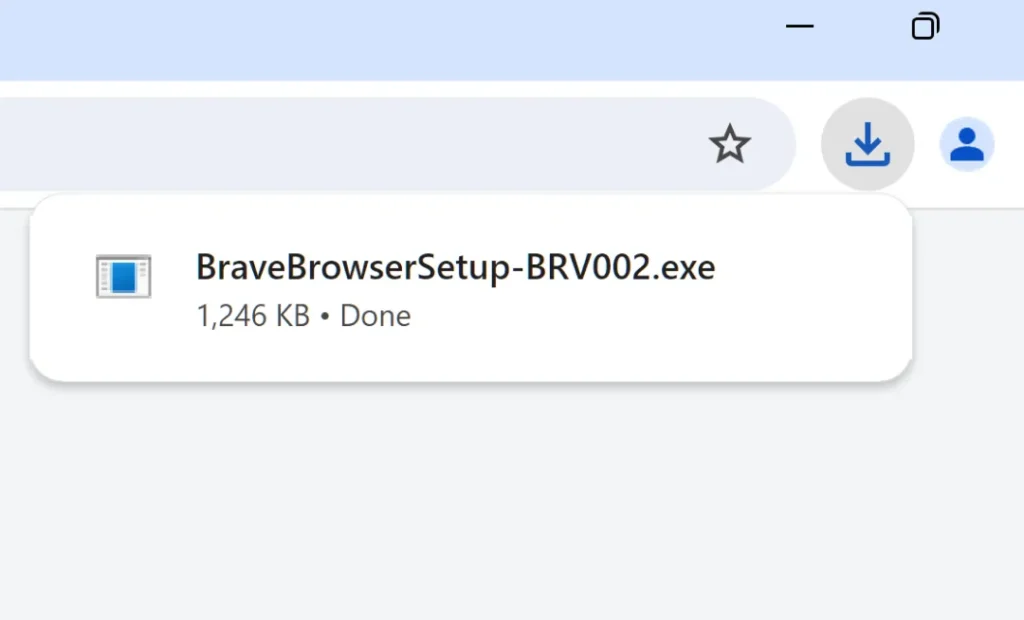
Run the file, install the application, and import your settings from other browsers such as saved passwords and others (this is optional, of course).
Related: How to Change Geographical Location and IP on iPhone for Free and Without VPN Programs
How to Use a VPN Program on Android Devices
- After accessing the previous link (https://play.google.com/store/apps/details?id=com.psiphon3.subscription&hl=ar) via your smartphone, you will be automatically redirected to the Google Play Store.
- Click the
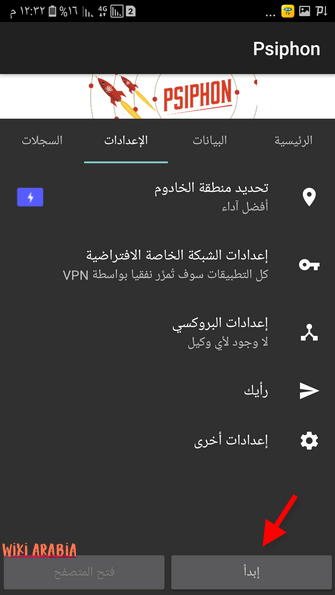
Installbutton, and once the app finishes installing on the phone, open it. - The program will automatically run (the tunnel or proxy breaker) or you can click the
Startbutton. Within a few seconds, its page will open in your default browser, and thus you have changed the country from which you use the internet.
The Wiki Arabic website allows you to know your IPv4 address as well as your country and other information about your operating system or browser used, and more. Here we notice that the country address is Britain, although we are using the internet from another country.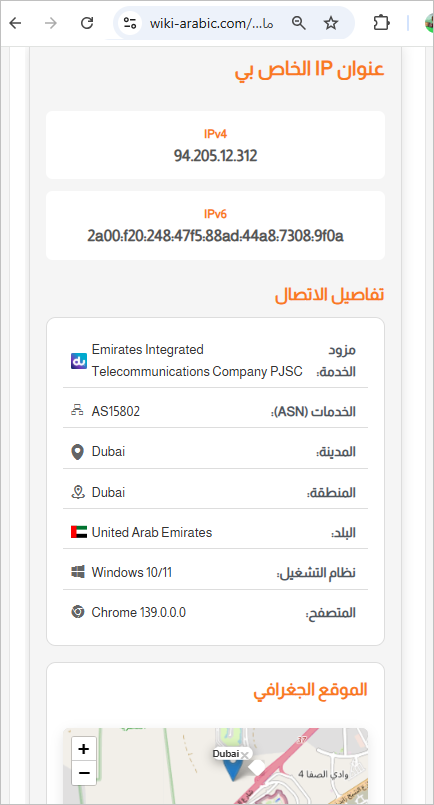
You can also use other sites like iplocation.net
Unblocking Websites via VPN for Android
If you do not want to use a proxy breaker or VPN program to unblock websites on your Android or iPhone device, you can follow some simple steps in your phone settings to accomplish this. Just follow these steps:
Time needed: 5 minutes
Unblocking websites without apps for Android and iPhone
- Settings then Connections
Go to phone settings then select the
Connectionsoption.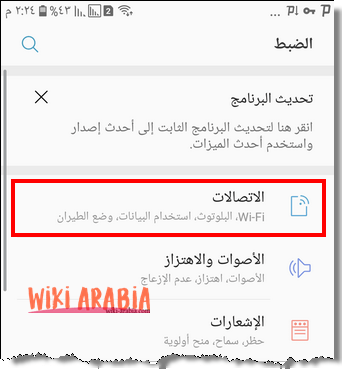
- More Connection Settings
Now click the
More Connection Settingsoption at the bottom
- VPN
Then choose VPN or Virtual Private Network.

- Add VPN and Configure Virtual Network Settings
In the upper corner you will find the option to add
VPN.
A popup window will appear with a set of options that you need to fill out as follows:
1. Network Name: Any name you see fit.
2. Type: PPTP
3. Server Address: As written in the image
4. Encryption Type: MPPE
5. Username and Password: Anything of our choice.
After finishing entering the previous options, clickSave.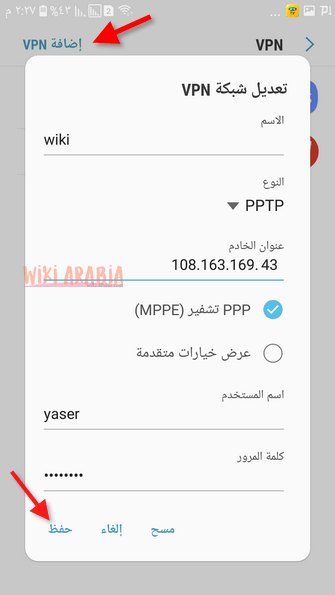
- Run VPN Network
Now we find the new network appearing in the list. Click on it then click the
Connectbutton, and thus we can open blocked websites and any other website from the browser.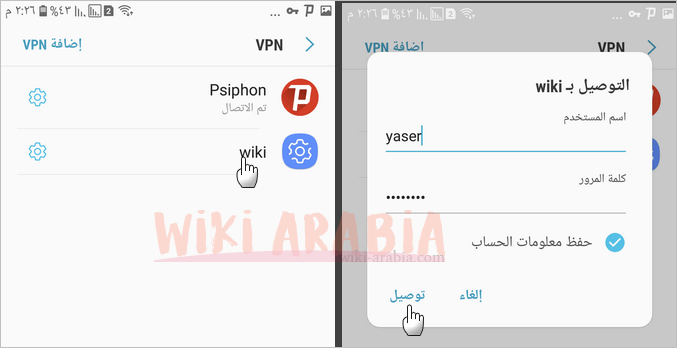
Best Browser to Unblock Websites (Google Chrome Alternative)
If you are tired of running a VPN program repeatedly every time you want to open a blocked site, you can simply browse through the Tor Browser. It is a browser that internally contains a VPN or proxy breaker program, in order to ensure the security of the information you send across the network and to fully unblock websites.
You might also like: Best Fast and Secure Internet Browsers to Unblock Websites 2026
You can download it for computer or smartphone from the Official Tor Project Website.
Tor Browser is considered the best choice for anyone looking for the highest degree of security and privacy when browsing the internet. Here are its most prominent features:
- Multi-layered Data Encryption: Tor relies on “Onion Routing” technology, where your data is encrypted in three different layers, making tracking your activity nearly impossible.
- IP Masking: The browser frequently changes your IP address across a network of global servers, giving you a completely anonymous identity while browsing.
- Bypassing Geographical Censorship: Thanks to its decentralized network, Tor allows you to access all blocked sites in your country without needing paid VPN subscriptions.
- Tracking Protection: The browser automatically clears cookies and browsing history once closed, preventing advertising sites from building a profile of your interests.
- Free and Open Source: The browser is available to everyone for free, and since it is open source, it undergoes continuous security updates by the community of programmers around the world.
Note: Tor browser may be slightly slower than regular browsers due to the encryption layers, but it is the most secure by far.
The Easiest Site to Unblock Websites
If you do not want to download any programs at all—neither “Tor” nor a “VPN proxy breaker”—you can unblocking websites through the site vpnbook.com. Since vpnbook.com is the easiest site to unblock websites for free.
All you have to do is type the blocked website in the search bar and then click the Go button to open the site as if you were browsing normally!
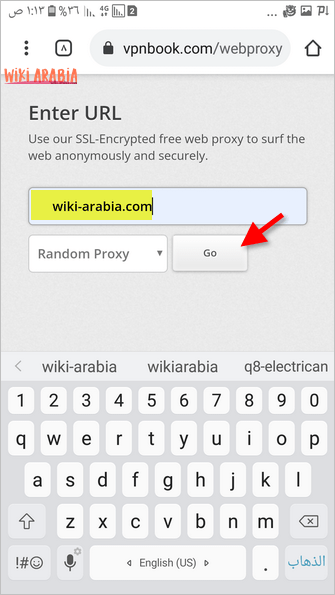
You can choose the server closest to your country for more speed. For example, the European server is geographically closer than the US server for a user in the Middle East, or you can leave the “Random Proxy” option to choose randomly.
You can verify that you are browsing through the site’s servers via iplocation.net or through our page “Check My IP Address” as this page gives you your full internet connection details along with the country.
Unblocking Websites for iPhone
In reality, there is no difference between the previous methods for unblocking websites on the iPhone, except that we allocated this section to mention the options available for iPhone users.
- Unblocking website: You can use the aforementioned vpnbook site.
- Free VPN app for iPhone? The app VPN super unlimited proxy or Psiphon are free and get the job done, and you can download them from the Apple Store.
- Unblocking websites via iPhone browser? Aloha Browser is one of the distinguished programs that gets the job done and resembles its counterpart Tor.
- Unblocking banned sites through settings? You can also do this by going to
SettingsthenWi-Fi, clicking on the exclamation mark next to the connected network, and then changing the IP.
Read also: How to hide last seen on WhatsApp while online
Unblocking Websites for Computer
You can unblock websites on a computer running Windows, Mac, or Linux by downloading one of the following VPN programs from their official websites:
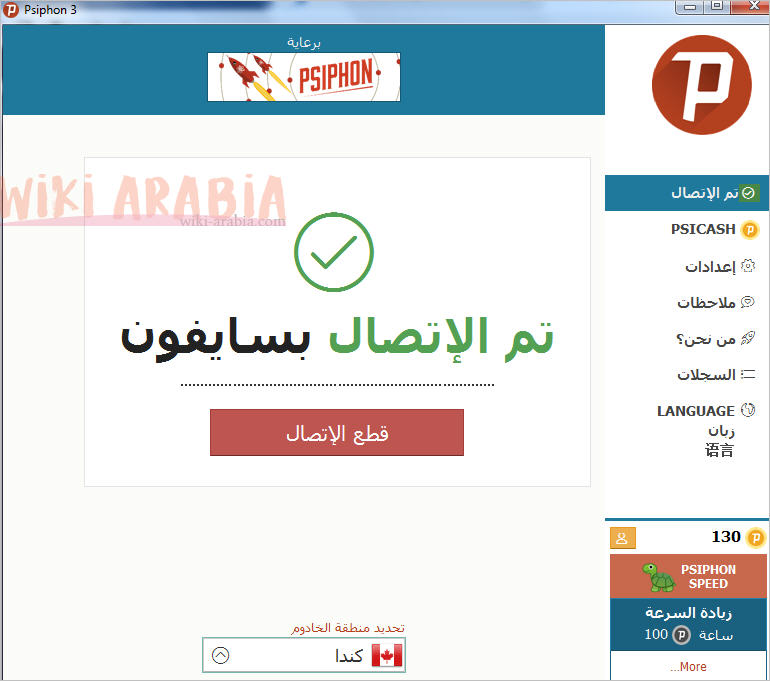
- Psiphon program (Free)
- NordVPN program (Paid)
- Download Tor Browser for computer (Windows) 64-bit, Mac 64-bit, and Linux from the Official Browser Website. By the way, it is available for other devices; just click the option Download in another language or platform.