Contents
TikTok is now one of the most prominent social media platforms that allows users to share short and creative videos. With the increase in likes and views, many users are keen to keep some high-quality clips to watch later or share with friends outside the app.
However, saved videos through the official app display a watermark, which affects the professional appearance of the video and reduces its attractiveness when published on other platforms.
In this article, we will discuss a set of effective methods to download TikTok videos without watermarks and in the highest quality, whether on computers or smartphones running Android and iOS.
We will rely on more than one recent source to ensure the information is updated and varied.
You may be interested in: How to Make Money from Live Streaming on TikTok
Why Download TikTok Videos Without Watermarks
The importance of obtaining a TikTok video free from watermarks lies in enabling users to re-publish content professionally on other social media platforms such as Instagram, YouTube, and Facebook. Retaining high quality ensures clarity of image and sound when displayed on larger screens or during editing processes.
Moreover, removing the watermark helps secure the rights to use the original content and maintain copyright when sharing the video in official or educational environments. This opens the door for content creators to utilize videos in their projects without visual clutter.
Ways to Download TikTok Videos Without Watermarks for Computers
Using Download Sites via Browser
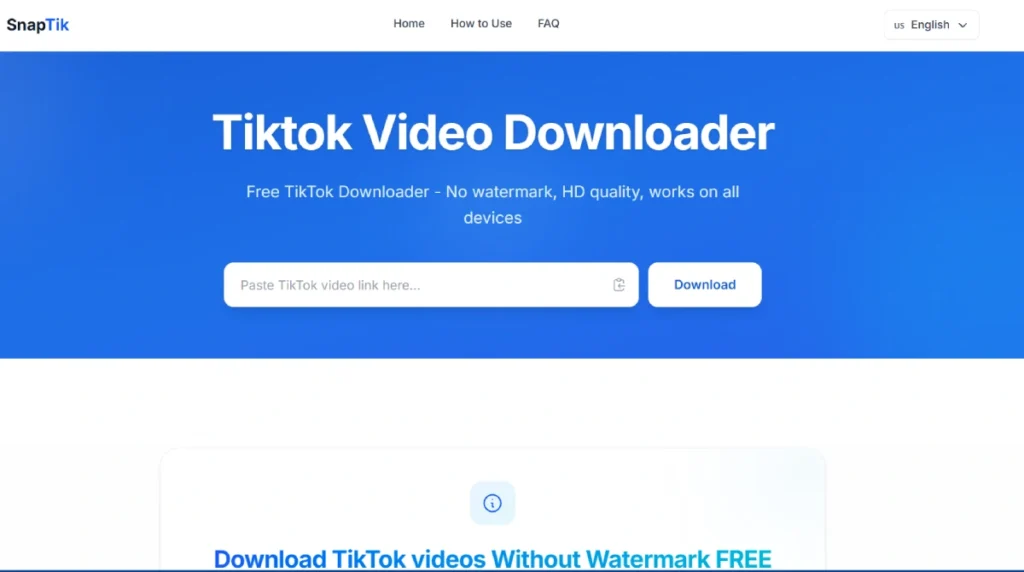
Specialized websites are the easiest way to download TikTok videos without watermarks. All you need is to copy the video link from the TikTok app or browser and paste it into the input field of the site. Then you choose the quality format (SD or HD) and click the download button.
To copy the video link, click on the Share icon and then select Copy.
Some of the most famous sites include:
- TTDownloader: Site link (https://ttdownloader.com/)
- SnapTik: Site link (https://snaptik.app/en3)
- MusicallyDown
All of these tools work with one click without needing to register an account, and they ensure that the original video quality is maintained.
All you have to do is paste the video link you copied in the input box and click the Download button.
Using Browser Extensions
If you are a user of Google Chrome or Firefox, you can install an extension that facilitates downloading TikTok videos directly. After installation, a new download button will appear beneath the video in the TikTok web interface. With a one-click option, you can select the quality you want and download the file without a watermark.
Examples of these extensions include:
- Video Downloader for TikTok
- SaveTik
This method is excellent for those who repeat the downloading process daily and are looking for a fast solution without leaving the website interface.
Related: Solution to the Problem of Drop in TikTok Views to Zero
Ways to Download TikTok Videos Without Watermarks for Smartphones
On Android
Android users can take advantage of applications available in the Google Play Store to download videos in high quality and without watermarks. After installing the app and entering the video link, the app allows you to save the clip directly to your photo gallery or share it via any other app.
Some well-known applications include:
- Video Downloader for TikTok – No Watermark: App link on Google Play
- SnapTik – Downloader No Watermark
These applications feature a simple interface and high-speed downloads.
On iOS
iOS users face stricter limitations, but they can rely on some tools through shortcuts or third-party applications. For example:
- Using the “TikTok Downloader” shortcut through Apple’s official shortcuts app.
- Documents by Readdle app to download video files via a built-in browser within the app.
These methods allow users to download videos quickly while choosing the appropriate resolution without the need for jailbreaking.
Tips to Maintain Video Quality and Download Speed
- Always select the highest available quality when starting the download.
- Some tools provide options for SD, HD, and FULL HD and even 2K in some cases.
- Ensure the speed of your internet connection; the faster your download speed, the shorter the wait time for starting playback.
- Use internet acceleration programs on computers or the “accelerate download” feature in some phone applications to enhance the downloading experience.
Legal Considerations and Security
Before downloading any video, ensure copyright and content ownership. It is preferable to obtain permission from the original content creators when reusing for commercial or educational purposes. It is also recommended not to share or re-publish content in ways that violate platform laws or copyright.
From a security standpoint, avoid suspicious sites or applications that request excessive permissions or expose your device to malware risks. Always rely on reputable tools with positive reviews.
Tips about Downloading
- Create an organized library of downloaded videos through folders by topic or date to facilitate access later.
- If you are a content creator, add your own titles or logos after downloading to market your brand.
- Try simple editing tools like InShot or VN Video Editor to add music or adjust colors before publishing.
Frequently Asked Questions about Downloading TikTok Videos
Q: Can I download a TikTok video with audio only without the image?
A: Yes, some tools support extracting audio in MP3 format instead of video; just select the “MP3” option when downloading. You can search on Google for tiktok to mp3.
One of the sites that offers a service to convert TikTok videos to an MP3 audio file link: https://ssstik.io/download-tiktok-mp3
Q: Does video quality diminish when removing the watermark?
A: No, as long as you choose the highest available resolution, the tool retains the same image quality without any noticeable effect.
Q: Do the previous methods require account registration or subscription payments?
A: Most free tools do not require subscriptions, but some paid services may offer additional features like bulk downloading or higher resolutions.
Q: Do these methods work with all versions of TikTok?
A: These tools typically support the latest versions of the app via the web, and some services may delay updating the app interface, but they usually catch up quickly.