Contents
Many of us look for TikTok Web, similar to WhatsApp Web, in order to open TikTok and watch directly from the browser and log in without downloading the TikTok app. Many of us like to browse TikTok and open it from Google Chrome without even creating an account on it. Through a computer or phone, you can open TikTok and watch videos either by logging into your account or without logging in.
How to Open TikTok Web from Google
You can open TikTok Web from Google Chrome on a computer or phone by following these steps:
- Open the Google Chrome browser on your phone or computer.

- Type TikTok in the search bar.

- Click on the first search result.
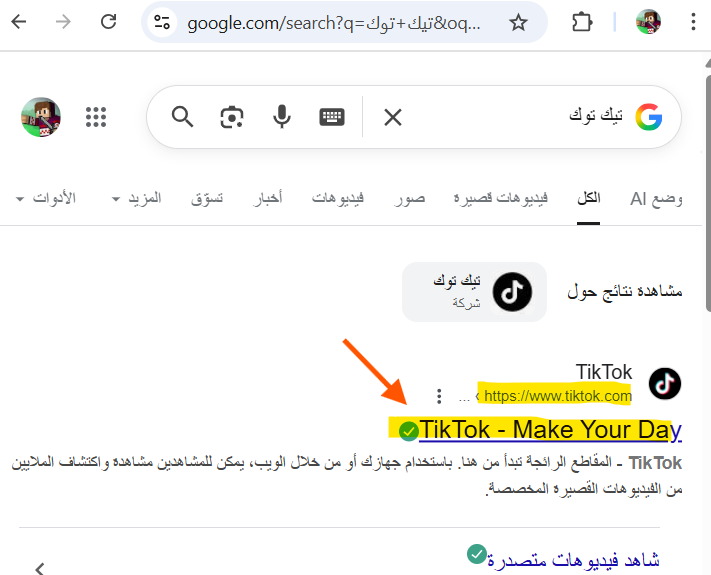
This is how you can watch videos on TikTok. You can also log in by clicking the Log In button and choosing your login method, whether through a Google account, typing a username and password, using a QR code, or via a phone number.
TikTok Login via Direct Link
You can also log in to the TikTok platform via a direct link: https://www.tiktok.com/ar. After that, you have the freedom to choose whether to watch TikTok without logging in.
TikTok Web Login via QR Code
One of the available ways to log in to TikTok is using a QR code. But what is a QR code?
This code is used when you have a TikTok account, the TikTok app is downloaded on your phone, and you want to log in from a computer. For faster login, you do not need to provide information such as a username, email, or password.
After accessing TikTok on the computer from Google, for example, you can log in to TikTok via QR code through the following steps:
- Click on Log In as shown in the image.
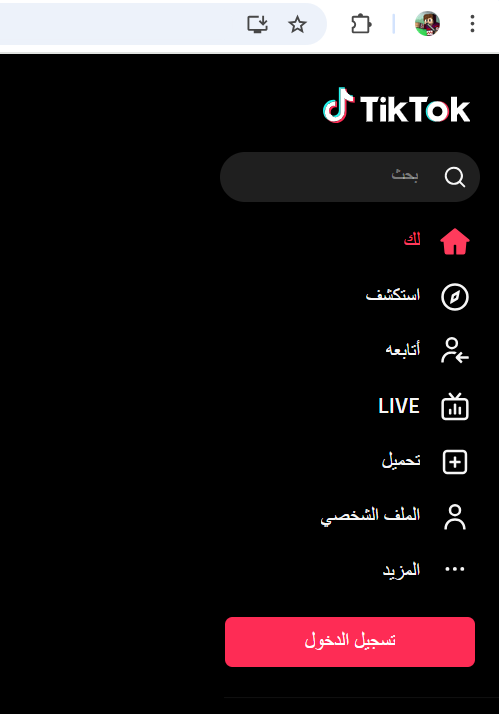
- After that, a menu with login options will appear. Choose “Use QR code“. A QR code will appear to be scanned using your phone.

- Open the TikTok app on your phone and tap the Profile icon, then the Menu button:
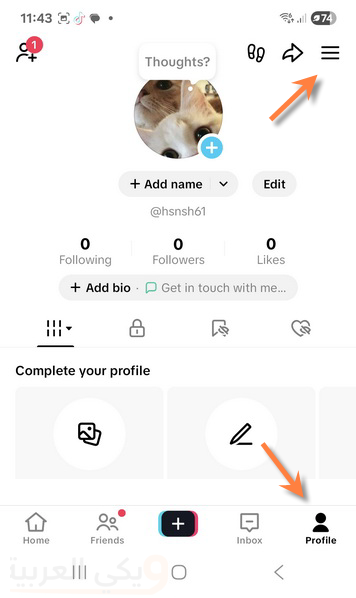
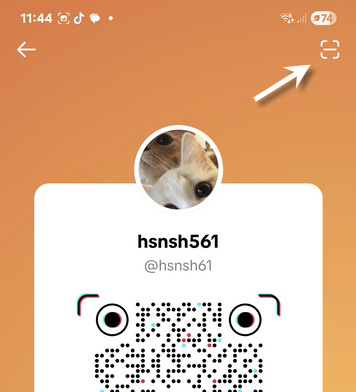
- Now choose “Your QR code”.

- You will see a QR code scanning icon in the upper corner. Tap it.
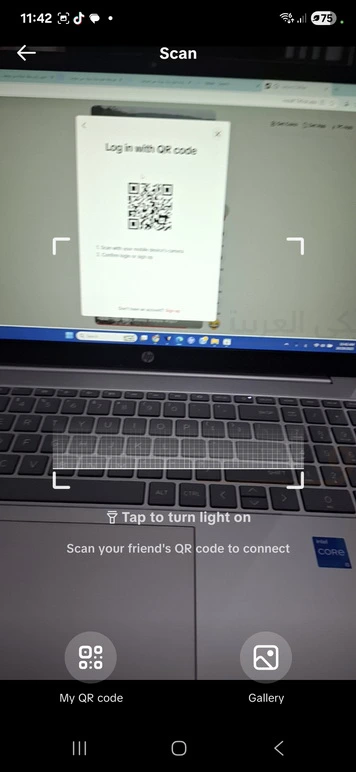
- Now the camera will open. Point it at the QR code displayed on the computer screen.
- Within seconds, the camera will close and you will be asked to confirm the computer login process by pressing the Log in button on your phone.
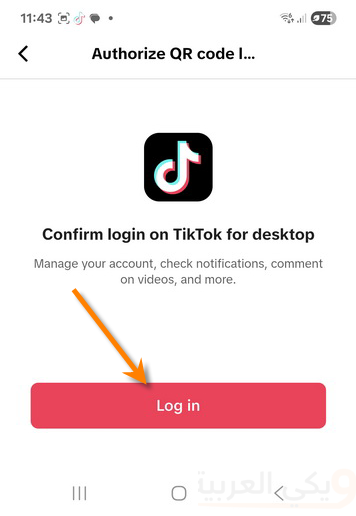
With this, your TikTok account will open on the computer without typing your email and password, as confirmation was done from the phone. A scan confirmation code will appear on the computer for a few seconds to verify and open TikTok.
You can scan the code without opening the app, bypassing all steps including the camera scan, by using any QR scanner app, via Google Chrome on your phone, or using the built-in QR scanner feature on your phone. Let’s try it.
Pull down the quick settings panel on your Android phone to see the QR scanner icon. Tapping it will open the camera. Scan the code displayed on the computer.
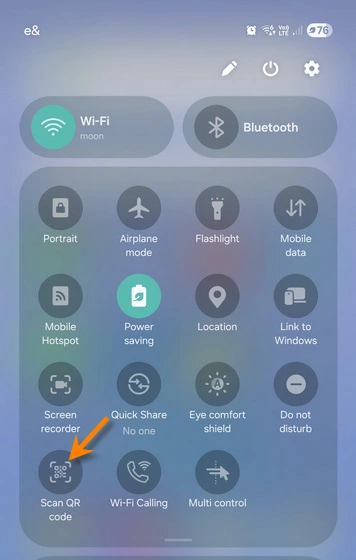
If you cannot find this app on your phone, you can also scan the code through Google Chrome on your phone. Open Google Chrome and tap the camera icon located next to the search bar and proceed to scan the code.
Opening TikTok Without an Account
You can open and browse TikTok without creating a Gmail account or logging into your account in two ways: the first is by opening the official TikTok link https://www.tiktok.com/ar.
The second is through the TikTok app on your phone by following these simple steps:
- On an Android or iPhone device, open your phone’s app store (Google Play or App Store).
- Search for the TikTok app and download it.
- Open the app, agree to some permissions, and choose preferences requested by the app, such as interests, etc.
- After that, the app will open and you can watch videos without logging in or creating an account.