Contents
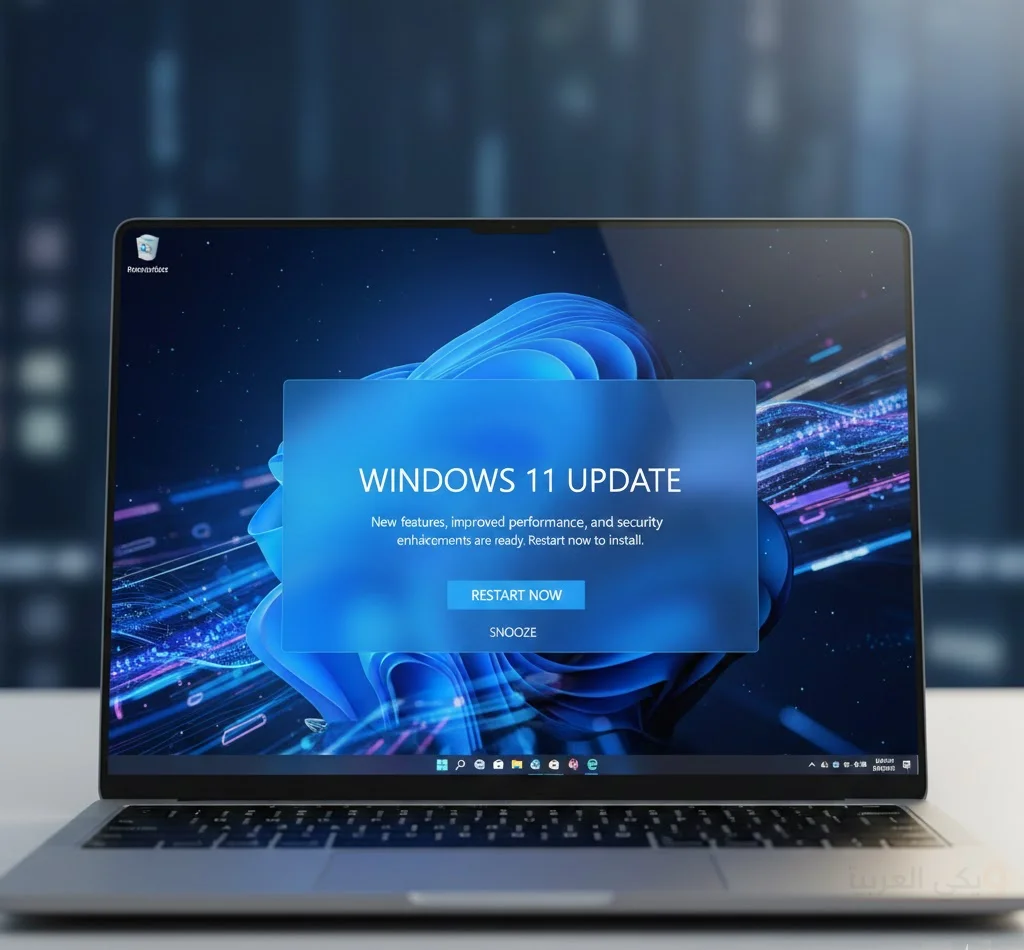
Today we will learn how to update Windows 11 to the latest version step by step with images.
There is no doubt that updating the operating system is not a luxury, a way to fill time, or a way to improve device performance. It is much more than that, as the most important reason that makes this process – the update process – necessary is security and privacy issues within the operating system.
Every day, new vulnerabilities appear in operating systems, and hackers work to find weaknesses that could threaten our cybersecurity at a critical moment. Therefore, updating the operating system is not a trivial matter; it is a necessary routine process that must be executed whenever a new operating system is available.
Read about: Steps to Create a Complete Backup of Your Data on Windows
Updating Windows 11 to the Latest Version
Windows 11 can be easily updated. But remember, before the update, you should ensure two things
- Your device is connected to the internet via Wi-Fi (preferably a 5G network).
- There is enough charge in the laptop or it is connected to electricity.
You can update the Windows system by following these steps:
Time needed: 1 minute (14).
Steps to update the Windows operating system:
- Accessing Settings
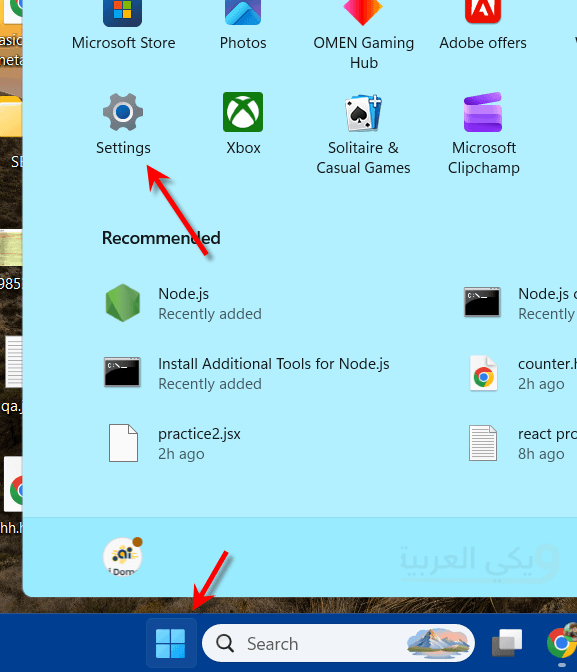
Click the Start menu button then select Settings (gear icon)
- Clicking on Windows Update
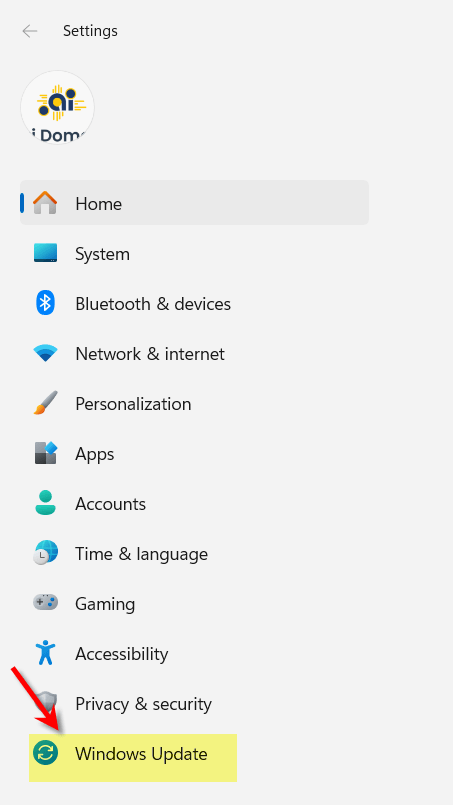
Settings will open. At the bottom, you will find the Windows update option.
- Starting the Updates
On the updates page, you will have two options:
First is that your device is already updated and it will be written (You are up to date). You can click the button “Check for updates” to make sure there is a new update available.
The second option is that your device is not updated and the Update button will appear. Clicking it will give you options for downloading and installing, either during sleep or “Now with restart” or updating and shutting down the device after completing installation.
These options can be helpful for large updates that take time.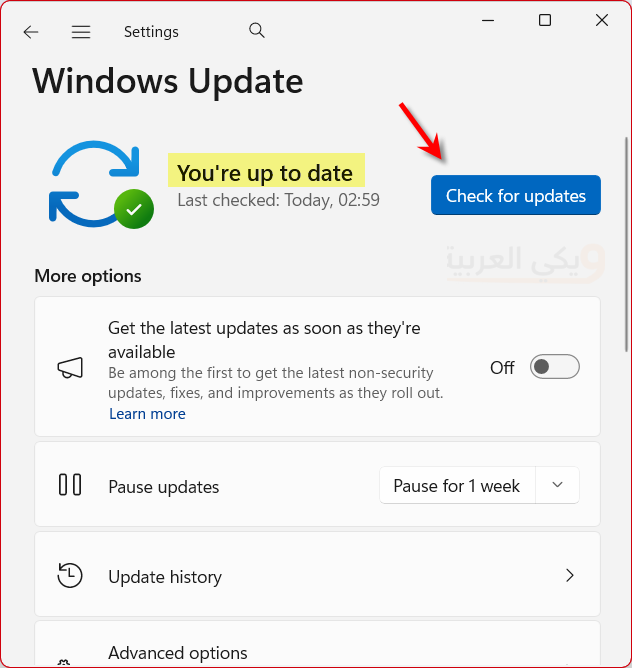
Windows 11 Update Options
There are a number of helpful options that must be explained in Windows updates:
1. Receive the latest updates as soon as they are released
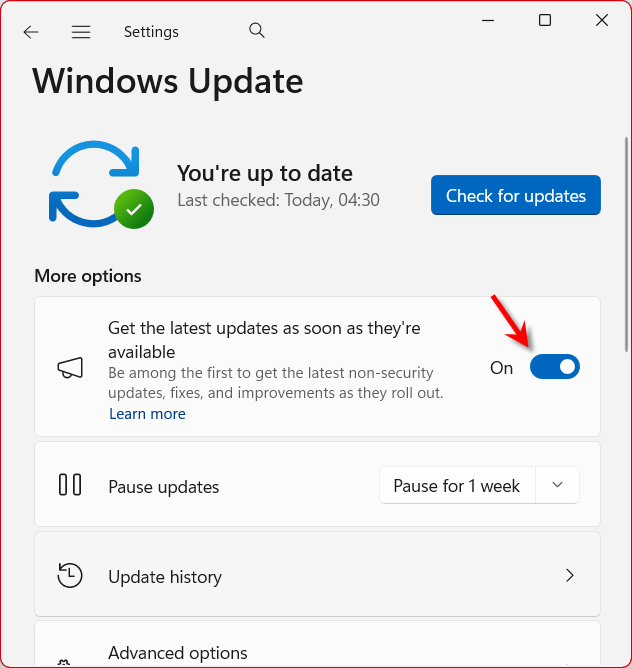
Microsoft is committed to providing innovations and new features for Windows 11 continuously. Instead of waiting for large annual updates, you can now receive non-security features and improvements as soon as they are ready for your device.
You may be interested in: How to Speed Up Your Windows 11 Computer
To enable this feature, from the updates menu we discussed in the previous paragraph, turn on the option: “Get the latest updates as soon as they’re available”. You can press the “Check for updates” button to download any features available right now.
Key Points:
- Gradual Updates: New features are sent gradually through technologies like “Controlled Feature Rollout” (CFR).
- Security First: Whether you enable this option or not, you will receive regular security updates on time. Activating the option only affects the speed at which additional features and improvements are delivered.
- Priority: By enabling this option, your device becomes a priority category to receive the latest future changes.
2. Previous Updates List
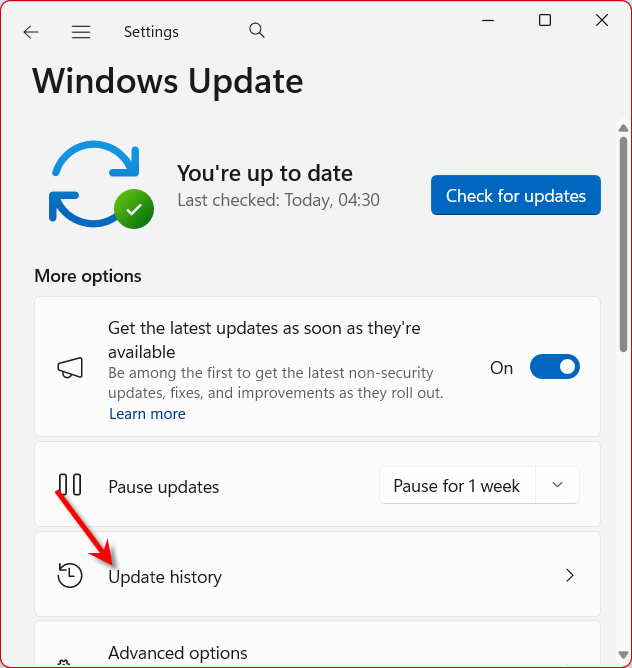
You can always review what has been installed through the Update History, and check the details of the new improvements in the “Other Updates” section.
Pause Windows Updates
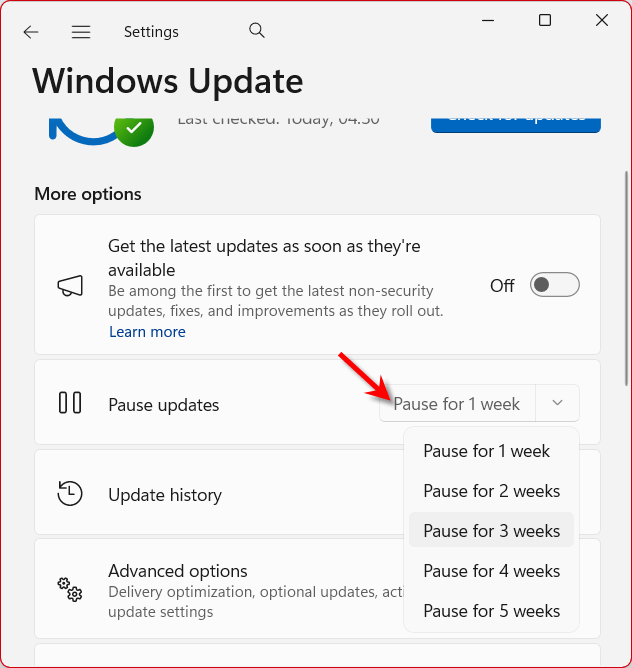
If you want to temporarily postpone updates instead of stopping them permanently, Windows 11 offers a flexible option called “Pause updates”. This feature allows you to suspend all updates (both security and feature) for a period ranging from one week to five weeks.
On the Windows Update page, you will find an option called Pause Updates; from the dropdown menu next to it, you can choose the duration you prefer (e.g., pause for one week).
Important Notes:
- Once the specified duration ends, your system will need to install the pending updates before you can pause it again.
- It is recommended to use this feature only in cases of necessity (such as weak internet connection or the need for device stability to complete important work), as updates are crucial to protect your device from security vulnerabilities.
Advanced Update Options in Windows 11
The Advanced Update Options in Windows 11 provide a powerful way to give you greater control over how and when updates are installed. Here’s an explanation of these options that many are unaware of but are very useful for managing computers and their updates that are not limited to the operating system but also other sub-applications:
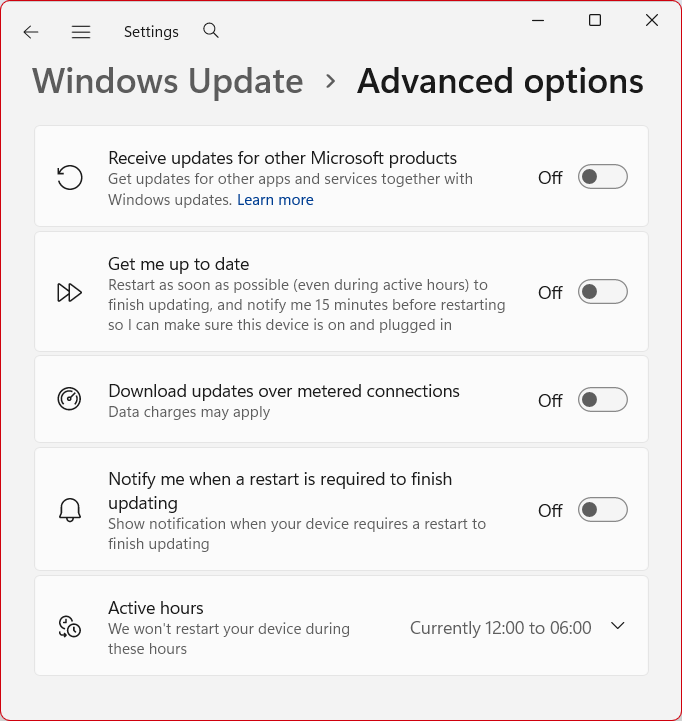
1. Update Other Microsoft Products (Receive updates for other Microsoft products)
By enabling this option, the system will not only update Windows, but it will also fetch updates for other Microsoft programs installed on your device (such as Microsoft Office Suite or Outlook). This ensures that all your tools remain updated and secure at the same time without the need to update each program individually.
2. Immediate Update Option (Get me up to date)
This option is somewhat “aggressive”; once enabled, the system will restart the device as soon as any update finishes downloading, even during your active working hours. The system will give you a warning only 15 minutes before the restart so you can save your work and plug in the charger, which is useful for anyone wanting to install updates as quickly as possible and doesn’t mind a brief interruption.
3. Download over Metered Connections (Download updates over metered connections)
By default, Windows stops downloading updates if you are using a metered data connection (like a hotspot from your phone or a limited data modem) to save costs. If you enable this option, the system will continue downloading updates regardless of the type of connection, which may lead to quickly consuming your internet data package.
4. Notify Me When a Restart is Required (Notify me when a restart is required)
Enabling this option keeps you fully aware of the system state; you will receive a clear notification when an update is ready and requires a restart to complete the installation. This option is useful to avoid surprises, as it allows you to manually choose the right time for a restart instead of leaving it to the system.
5. Active Hours (Active hours)
In large companies, randomness can’t be relied upon, nor can the updates of 50 devices, for example, be managed manually! Additionally, this feature is one of the most important options to avoid disruption. Through it, you can specify the time period you usually use your device (for example, from 8 AM to 5 PM). During these hours, Windows promises not to restart the device automatically to install updates, ensuring that your work or meetings are not interrupted unexpectedly.