
Contents
Today we will learn how to access WhatsApp Web on iPhone and Android, how to turn on the camera, and scan the QR Code that appears on the screen to show conversations on the computer.
WhatsApp is one of the most popular communication and chatting applications worldwide for both business and personal use. There is a WhatsApp Web version that allows you to access your chats through a computer or laptop easily via a browser. The web version synchronizes instantly with the phone version, so you can receive all messages and calls and respond to them immediately from your phone and through the web version of WhatsApp as well.
What is WhatsApp Web?
The web version of the WhatsApp application gives you the ability to access your important chats and messages from anywhere without your phone. Due to the instant synchronization between WhatsApp Web and the WhatsApp application on your phone, using the web version becomes special without any delay or shortcomings, especially due to continuous development that makes it a complete version of the WhatsApp application on your phone. You can also access your messages and use the web version without your phone or an internet connection on your phone, which is a very special feature that enhances the power of the web version.
Check out how to open TikTok Web from Google
Through this article, we will learn step by step how to access the web version and link it to your Android or iPhone easily just once.
WhatsApp Web for iPhone and Scanning the QR Code
Time required: One minute (1).
Here is how to open WhatsApp Web for iPhone by scanning the QR Code.
- Opening WhatsApp Web
In simple steps, we will link your iPhone with the WhatsApp Web version by scanning the QR Code from your phone
– Open WhatsApp Web on your computer or laptop browser, or you can directly press on the following link.
– Then we click on the Login button located at the top right.

- QR Code Appears
A new window will appear containing the QR Code, which we will scan using the iPhone camera,
there are also some instructions on the page for you to scan the code via your Android or iPhone.

- Entering WhatsApp Settings
We will open the WhatsApp application on the phone, and from the bottom we will click on the Settings icon
which will show us the settings for your WhatsApp account.

- Accessing Linked Devices
We select the Linked Devices section, which contains all your devices linked to your account from phones, tablets, or computers, and through it we will link our new device.
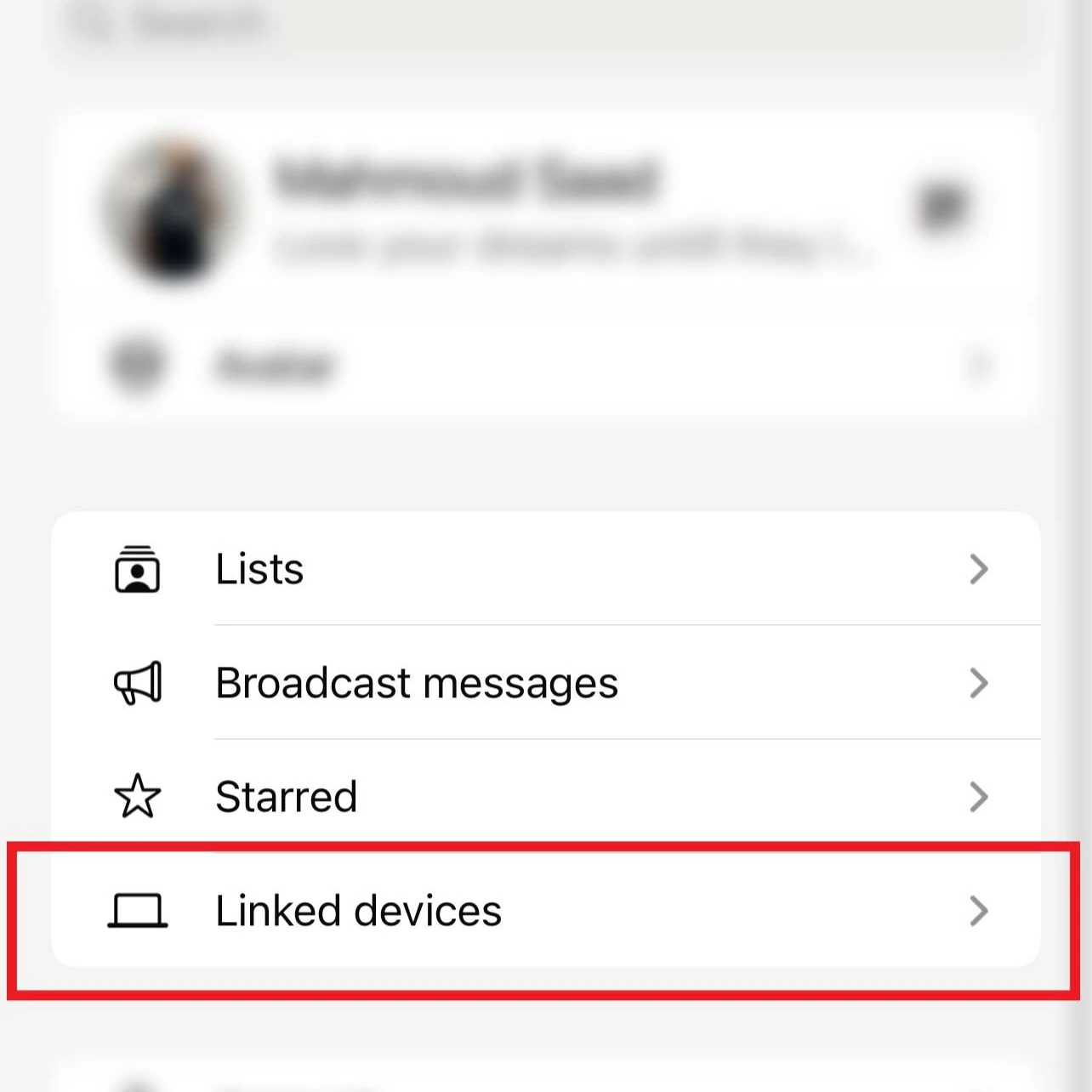
- Linking iPhone to WhatsApp Web
A new window will appear through which we will scan the QR Code by pressing on the Link Device text written in the green rectangle.
You will also find all your previously linked devices and can remove any unwanted links from here.
- Scanning the QR Code
A new window will appear informing you that the camera will be used to scan the QR code, and by pressing the Ok button in the green rectangle, the camera will open, and you will direct it to the QR Code on your computer screen.

- Opening Chats on the Computer
Immediately, the WhatsApp web version will start restoring all your conversations and calls. Keep the WhatsApp application open on your iPhone until all messages are loaded on your computer and then you can use the web version fully without any problem.
QR Code on Your Android Phone for WhatsApp Web
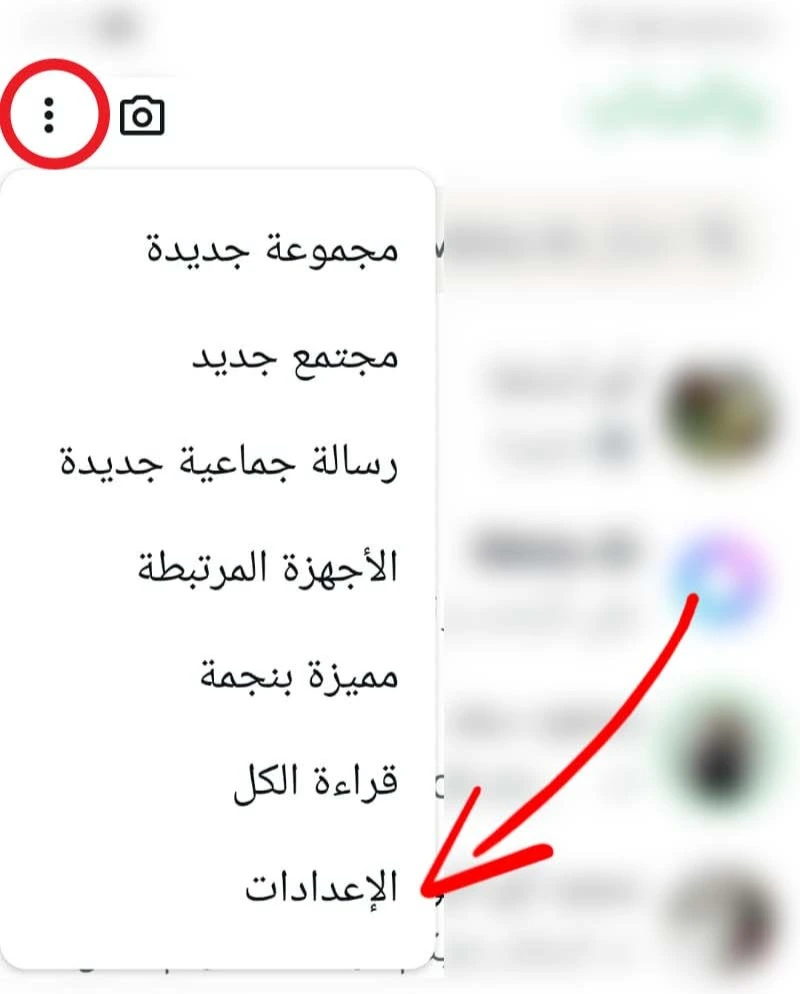
- We move to your Android phone and the steps here differ somewhat compared to the iPhone but are equally easy, through the WhatsApp application on your Android phone, you will press on the three dots at the top, and then we will choose Settings. (You can select Linked Devices directly)
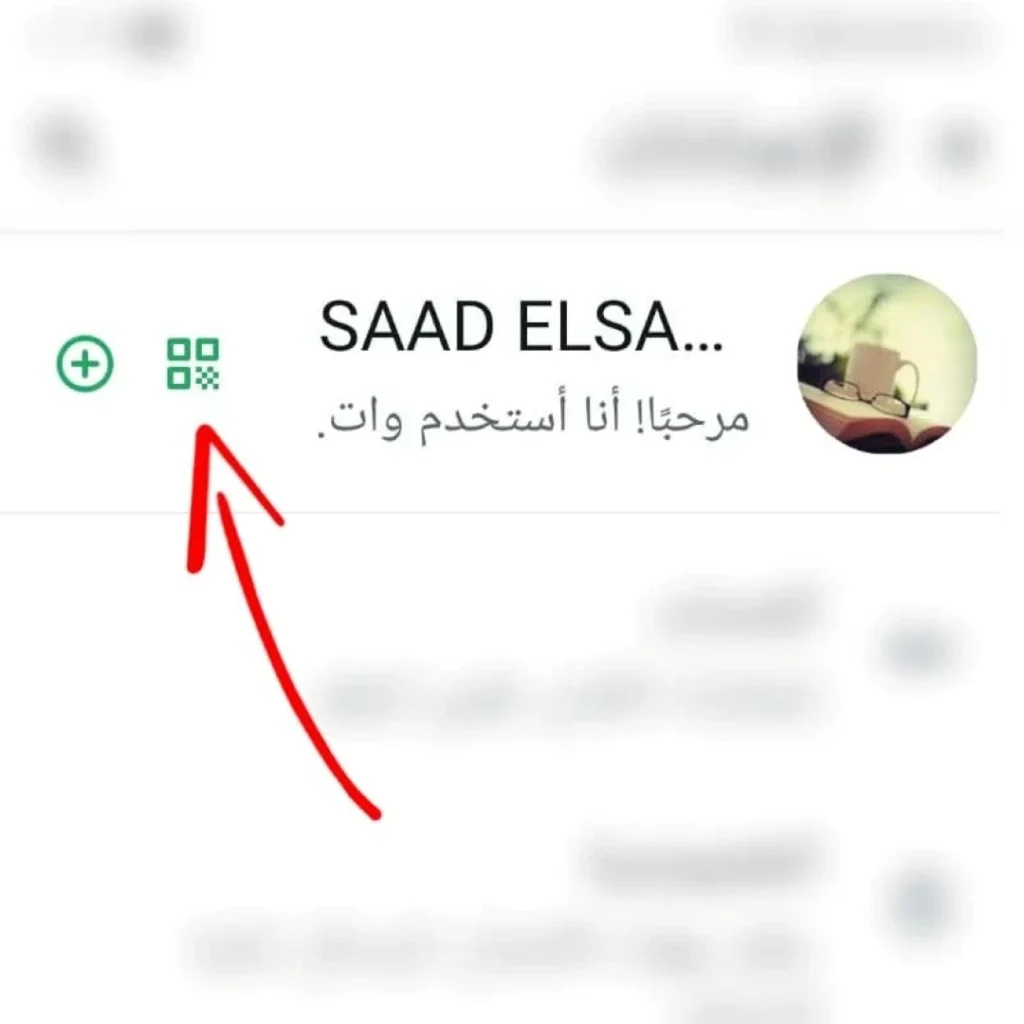
- In the settings, next to your thumbnail and name, you will find the QR code immediately, we will press on it to scan it using the camera.
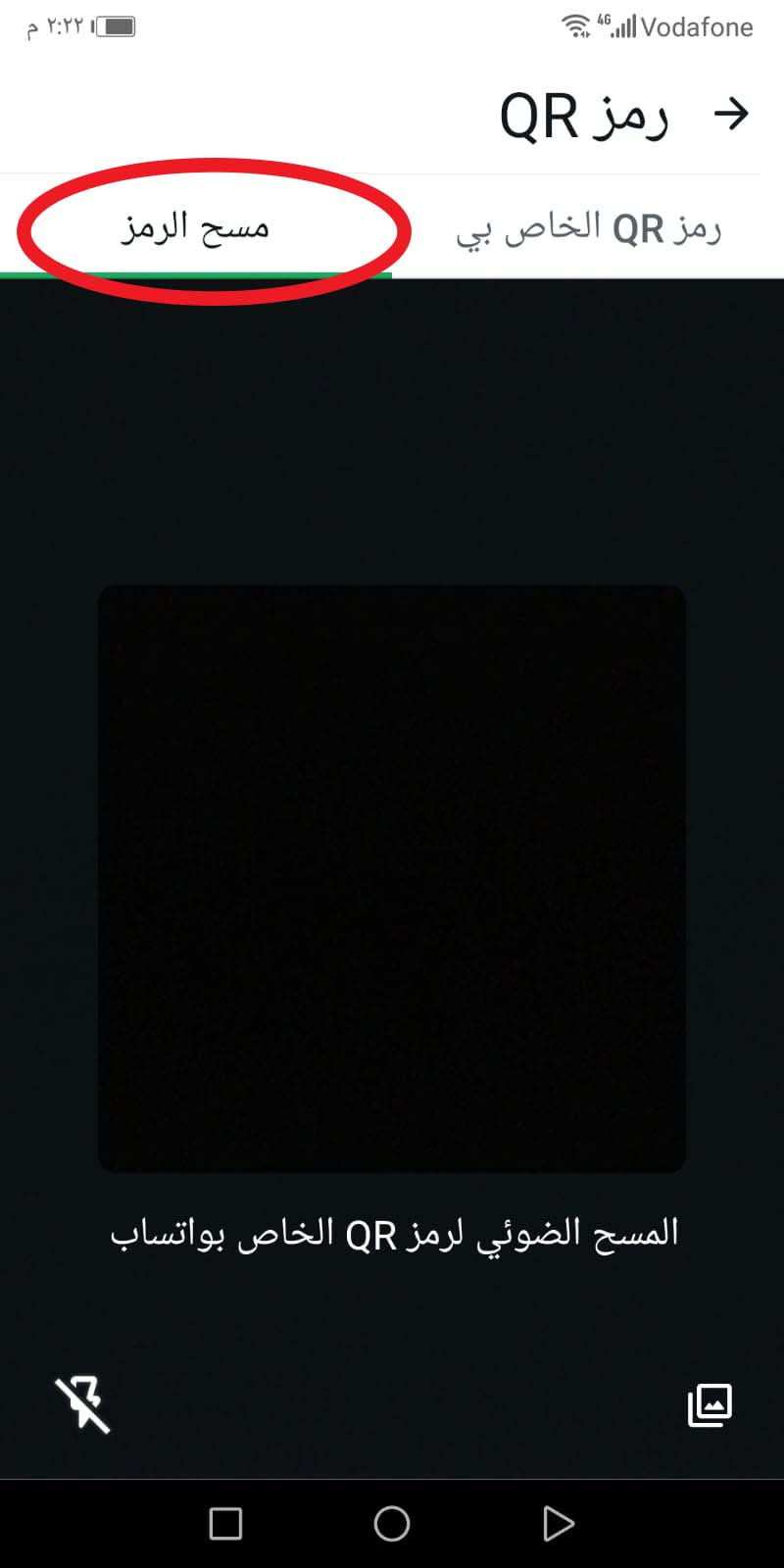
- We will select the scan code option at the top, which will initiate the scanning of the QR code for WhatsApp using the phone camera, and then you will find WhatsApp Web starting to recover all chats and messages.
- We will select the scan code option at the top, which will initiate the scanning of the QR code for WhatsApp using the phone camera, and then you will find WhatsApp Web starting to recover all chats and messages.
Features of WhatsApp Web

When using the WhatsApp Web version with the above steps, all your private messages will immediately appear, and in order they will show you
- Message Section, containing all your pinned chats and conversations.
- WhatsApp Status Section, where you find all statuses of the numbers registered with you, and you can also post your own status.
- Then the Channels section, which gathers all your diverse channels in art, news, etc., and you can browse the channels you are subscribed to.
- Communities, you can find all your groups if you have previously created communities.
- Finally, you see the smart assistant icon from Meta Meta AI.
- At the bottom, you see the Settings icon, through which you can fully control your account.
- And below it appears the Profile Picture, by clicking on it you can change your picture and update your status.
- Also, through the three dots at the top, you can access some important tools such as.
- All your saved messages in all conversations.
- Locking the app with a password to keep your conversations confidential every time you open the web version.
- Logging out of WhatsApp Web completely if you wish.
Companies are keen to provide web versions of their applications with the same quality and features, which is a good thing, increasing harmony between all operating systems and the ability to use applications on various devices, which is what users need to increase productivity and become more connected to the applications.