

Contents
Snapchat is one of the oldest social media platforms, in addition to offering diverse content and its wide spread around the world, especially in our Arab homeland.
Snapchat provides its own web application to access Snapchat without downloading through Google from your personal computer or laptop, so you can follow content and chat with friends and followers anytime and on any device without needing your phone.
Therefore, in this article, we will outline the method for logging into Snapchat from Google on PC, using your email or phone number.
Read about: Logging into Telegram Web from Google
Logging into Snapchat Web with Email on Google
Of course, before you start these steps, you need to be a user of Snapchat Web and have your own account on the platform, as you can log into Snapchat from Google on your PC by going to the link Snapchat Web, or typing Snapchat.com via Google search. Then follow these steps:
- First, the homepage of the Snapchat platform will appear, from which you can log in or download the Snapchat application.
We need to log in using an email, you will find a blank space to enter your email address or username,
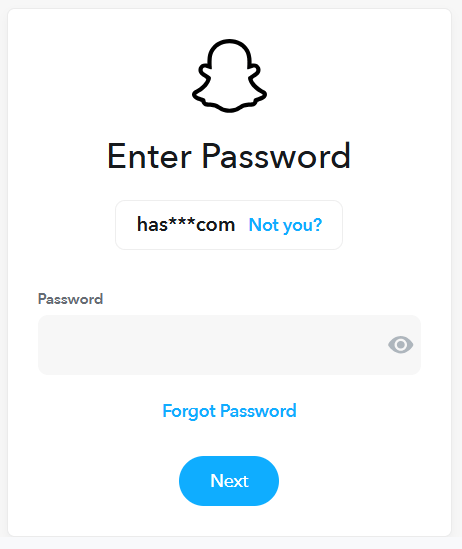
- Once you entered it and clicked on the Log in button in blue, you will be directed directly to the password page. Enter your password and click the Next button. You will enter your account directly (and sometimes you may need to tap on notifications in the Snapchat app on the phone to confirm you are the account owner)
Logging into Snapchat with Phone Number
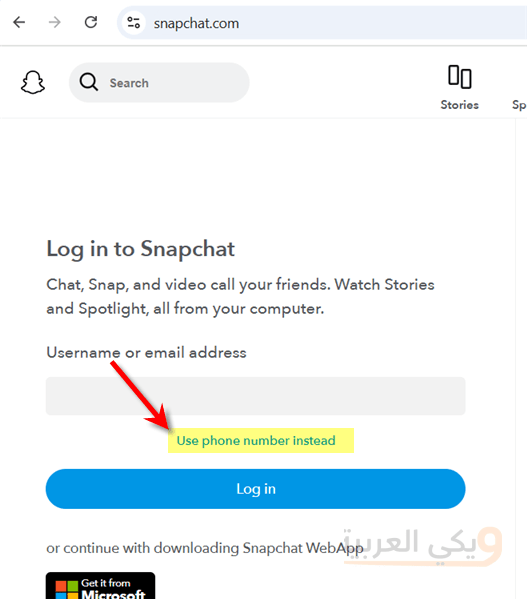
If you prefer to log into Snapchat from Google using your phone number, instead of entering a username or email, you will click on the option Use Phone Number in blue, which will allow you to enter your phone number instead of the email, and then click on Log in in blue to continue the login process following the same previous steps.
Read about: Logging into WhatsApp Web for PC
Steps to Manage Snapchat Account
The web version of Snapchat provides you with all the tools and features just like the mobile app, especially with Snapchat’s attention to designing a user interface that is very unique compared to other social media applications.
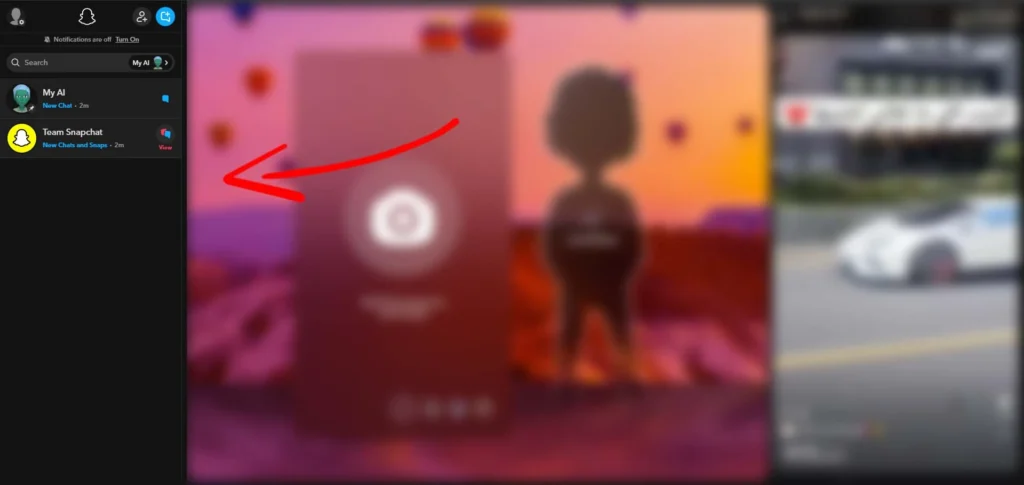
Initially, after logging in directly, you will find the main page of the application as shown, which contains all the tools, on the left side you will find the messages and chats section, headed by your account’s thumbnail image, by clicking on it you can access your account settings.
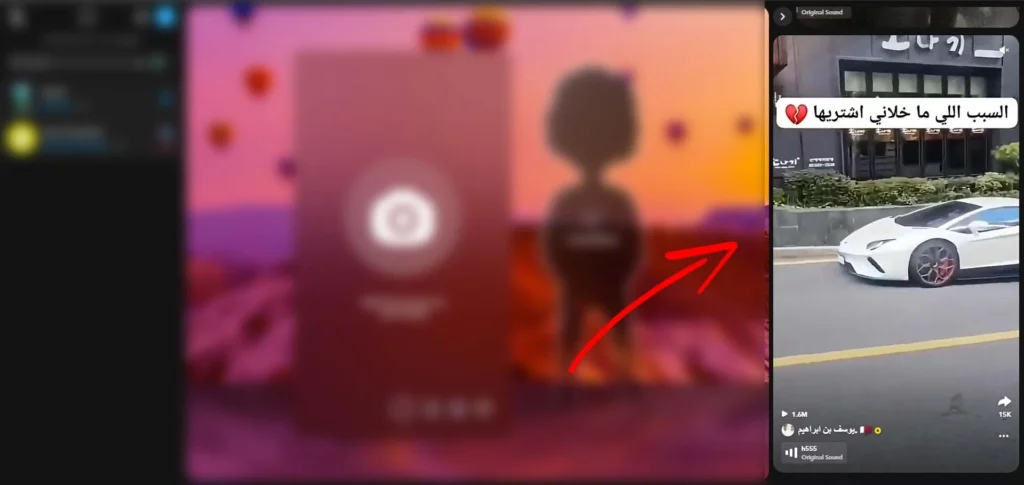
On the right side, you will find the Spotlight and Stories sections, and you can browse through the videos using the up or down arrow keys on the keyboard,
or via the scroll wheel on the mouse or its equivalent on the laptop’s trackpad, all these methods simulate the way of browsing videos on Snapchat on the phone.

You can navigate between videos and stories by clicking on their icons on the right side as shown.
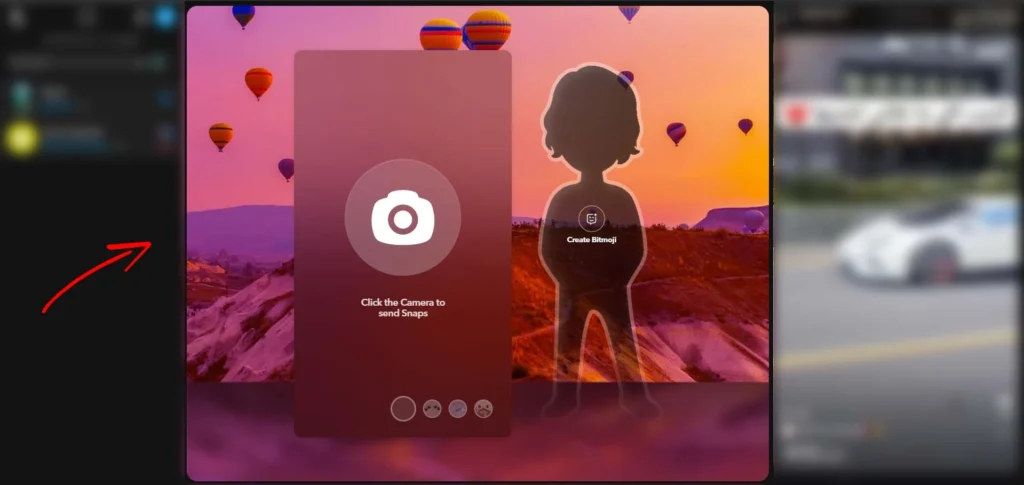
Despite using your Snapchat account via Google on PC, the platform allows you to take a Snap if you have a laptop or an external camera for your PC.
In the middle of the screen, you will find a large camera icon, clicking on it will prompt Snapchat to request permission to open your camera and take a Snap,
you can also create your own Bitmoji by clicking on the user silhouette located in the middle of the screen next to the camera icon, both options are available in the middle of the screen.
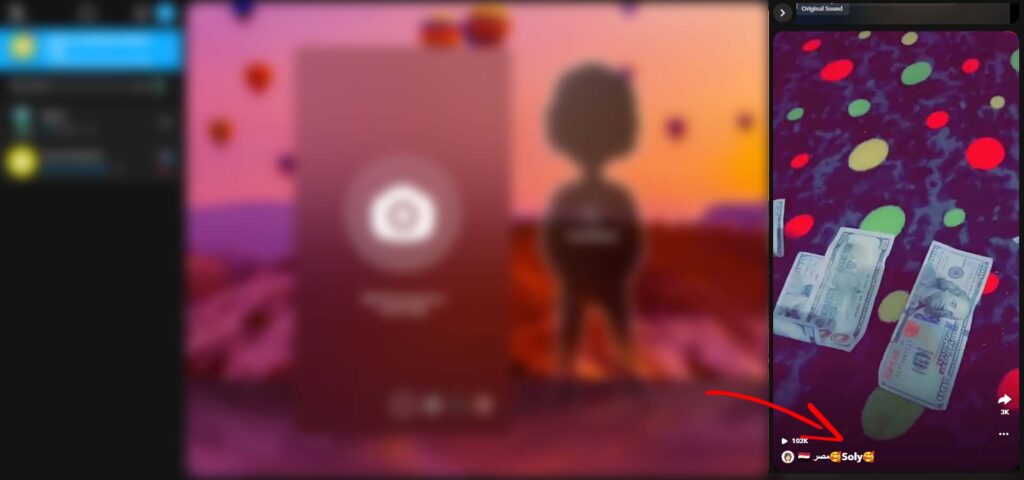
Snapchat also provides you with another user interface, which you can access by clicking on the account names in Spotlight or Stories.
While browsing videos, the username of the account that published the video appears, and you can easily click on the username, and Snapchat will direct you to another user interface that provides you with a different view of Snapchat on Google.
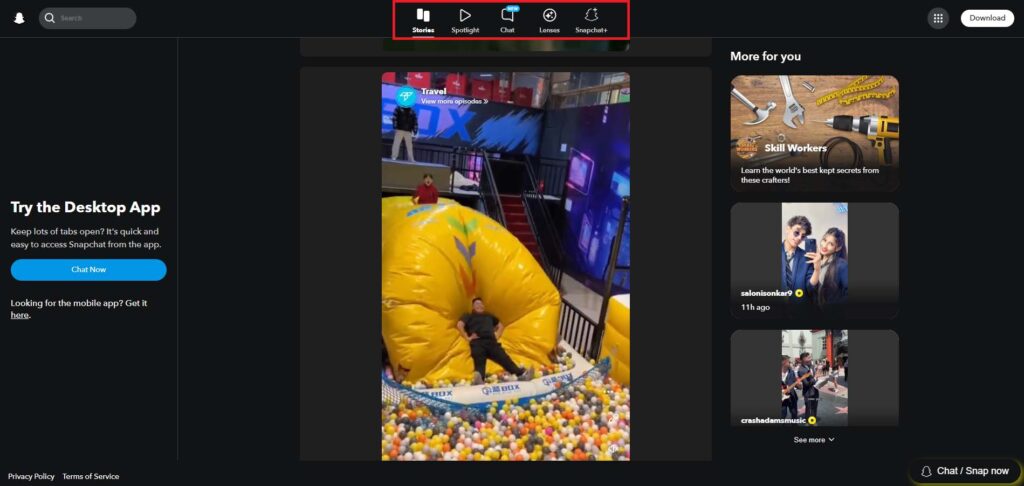
This interface is better, and it appears to you as soon as you click on the name of one of the accounts in the videos section as mentioned, where it shows you all sections clearly at the top including Stories, Spotlight, messages, and also the Snapchat+ version.
The videos also appear in the middle of the screen, and you can browse them easily with suggestions found on the right side, making the browsing experience and content viewing better compared to the previous user interface mentioned above.
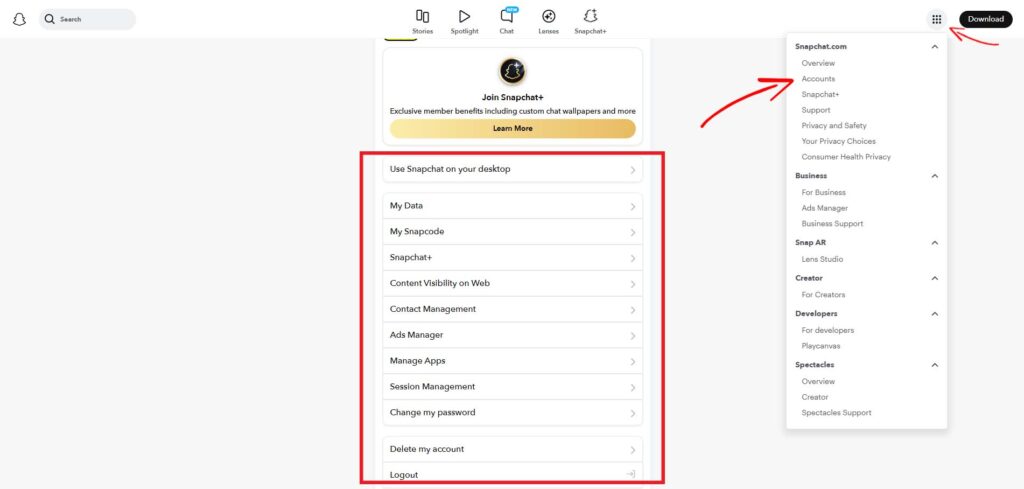
You can go to your account settings and manage them by clicking on the menu icon at the top and then selecting Accounts, all your account settings will appear in the middle of the page, from changing the password and logging in, deleting the account, or managing your ads on Snapchat and many other tools.
How to Download Snapchat on PC

After explaining how to use Snapchat from Google on a PC, you can also download the Snapchat application on your computer easily.
This is done by going to the Windows App Store and searching for Snapchat and then clicking on Install, the download and installation will begin directly on your device.
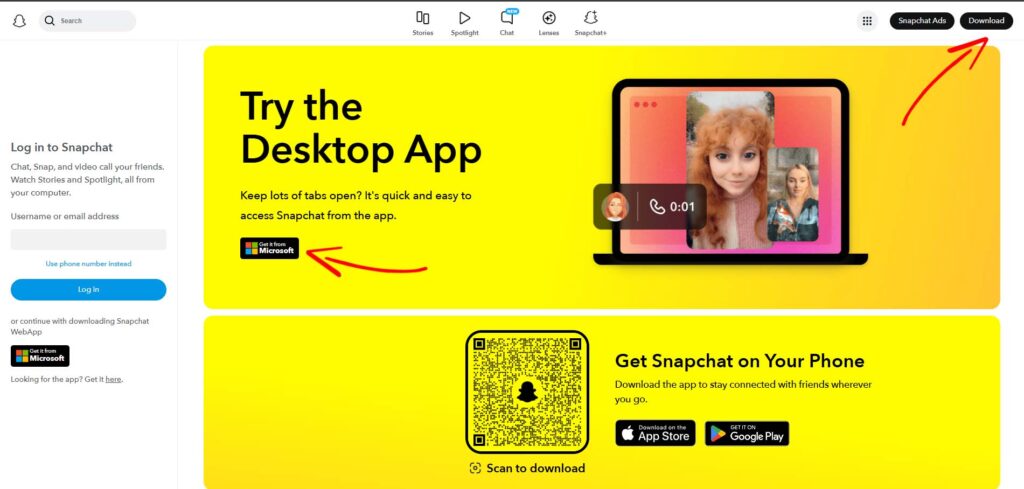
Alternatively, you can go to the Snapchat website from here, after opening the site directly, you will find the Download button at the top, clicking on it will show you a new page containing the message Try the desktop app version, and there will be a download link from the store if you are using Windows it will be the Microsoft Store, or it will be the Apple Store on Mac devices.
This method provides you the ability to access Snapchat on your device directly without needing to open it via Google, but in both cases, you will have the same experience without any difference.
Snapchat for All Your Devices
It is good to see companies focusing on their apps across different systems, especially chat and social media applications, and Snapchat is one of the most prominent and popular apps, making user engagement with the app greater. So, have you logged into Snapchat on your PC yet? And is the experience satisfactory or not?