Contents
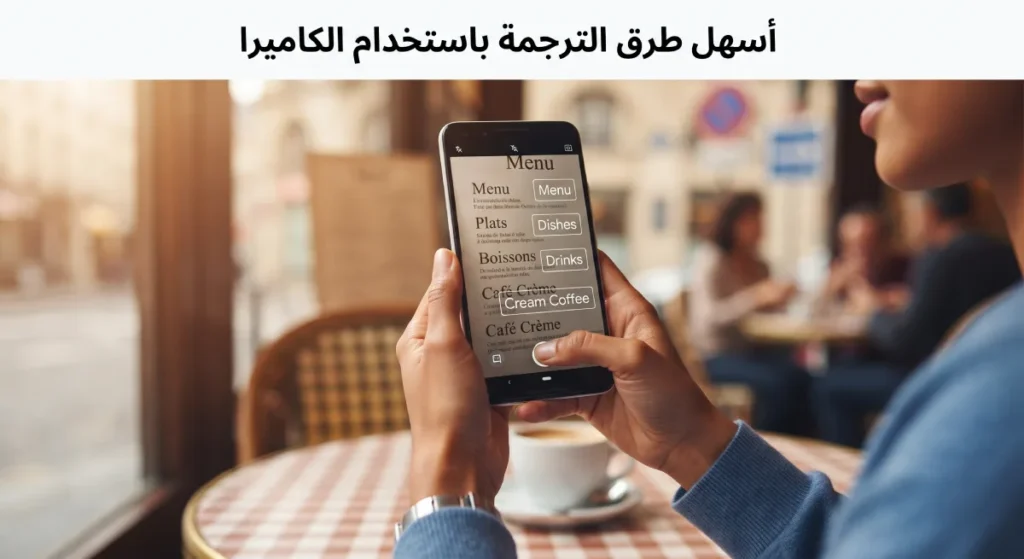
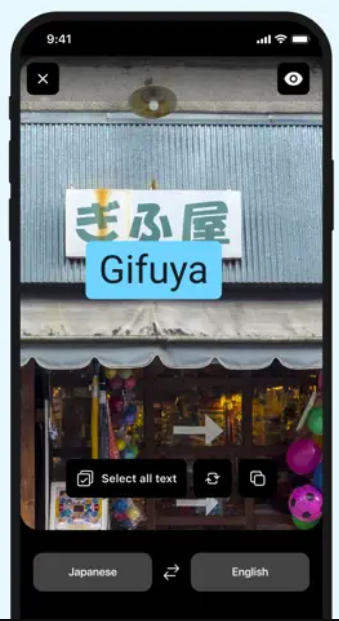
In recent years, there has been significant development in the field of instant translation using the camera, allowing users to translate printed texts, signs, and billboards with just a few clicks. This technology relies on optical character recognition (OCR) and advanced machine translation algorithms, enabling travelers, students, and professionals to easily understand written content in different languages without needing to manually type the text or use human translators.
This article reviews the easiest methods of translation using the camera, with a detailed explanation of the techniques, tools, and practical tips to improve accuracy and speed.
How Camera Translation Technology Works
The camera translation technology relies on two main integrated phases to ensure a translation close to the reality of the original text.
1. Optical Character Recognition (OCR)
The application first captures an image of the written content and then analyzes the image to extract the texts using Optical Character Recognition technology. The effectiveness of this phase depends on the quality of the image and the ambient lighting, in addition to the accuracy of the algorithms recognizing different fonts.
2. Machine Translation of Texts
Once the texts are extracted, they are directed to a machine translation engine that relies on massive training models of multilingual data. Companies like Google, Microsoft, and DeepL offer recently trained models capable of processing complex linguistic structures and providing accurate translation suggestions. Artificial intelligence technology contributes to refining the language style and making the results smoother.
Most Popular Camera and Image Translation Apps
A number of popular applications that provide camera translation features have emerged, and we will review the most notable ones along with their features.
Google Translate
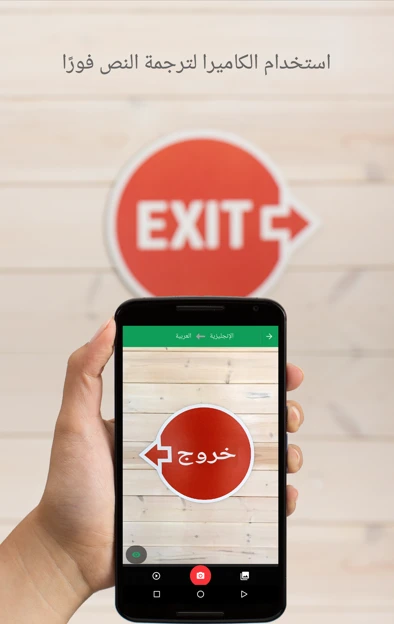
Google Translate is one of the oldest and most famous applications in this field, supporting over 100 languages. The app offers instant translation via camera that works offline for certain languages after downloading language packs. It also allows users to edit the manual translation and compare it with the automated version.
Download the app from Google Play Store
Download from the App Store for iPhone
Microsoft Translator
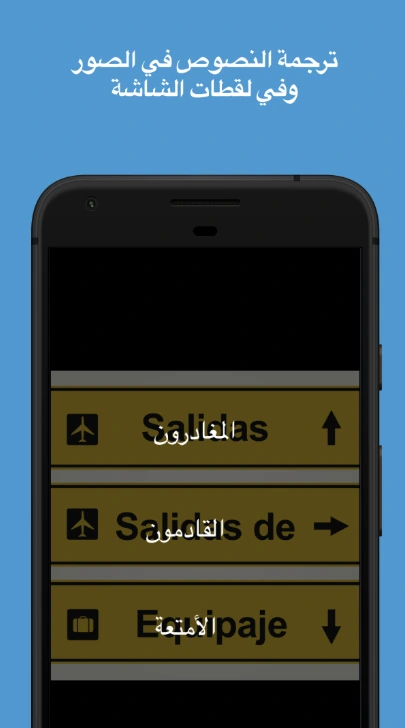
Microsoft Translator provides camera translation supported by deep learning technology, improving the accuracy of recognizing complex texts such as menus and pamphlets. It supports more than 70 languages and allows sharing translations in real-time with other collaborators in a group chat.
Download from Google Play Store
Download from the App Store
In addition to the previous giants, applications like
DeepL Translator
Features:
- Extremely accurate translations for European languages.
- Support for translation in more than 100 languages.
- Camera-based translation.
- Alternative translation suggestions with the same original meaning.
- Saving frequently translated phrases for use.
- Text-to-speech and vice versa.
- Other enhancements powered by artificial intelligence to improve writing quality.
iTranslate App for Translation
This distinguished application offers simple user interfaces and the ability to listen to audio pronunciation. There are also specialized solutions for businesses and professionals focusing on maintaining document formats when translating.
Moreover, it definitely supports camera translation. Its distinguishing feature is the ability to use it without an internet connection.
Steps for Effective Camera Translation
To maximize the benefit of camera translation technology, it is advisable to follow these steps carefully:
Choosing the Right App
Before starting, identify your needs: do you need offline translation? Or a specialized technical translation? Compare the apps in terms of the number of supported languages, interface ease, and processing speed.
Adjusting Settings Before Shooting
Make sure to set the source language and target language in the app settings, and activate any additional language pack you might need for offline work. It is also preferable to enable fixed shooting mode for more accurate results.
Improving Image Quality
Adjust the ambient lighting to be sufficient and free from strong shadows. Keep the camera at a vertical angle to the text to avoid distortion of letters, and use manual focus if available.
Advantages and Disadvantages of Camera Translation
Camera translation offers many advantages, the most notable being speed, convenience in mobility, and understanding instant texts. However, it may face difficulties when dealing with: curved texts on uneven surfaces, ornate fonts, texts with very small fonts, or in low light conditions. Additionally, total reliance on machine translation may sometimes lead to the loss of certain nuances in meaning and style.
Tips to Improve Camera Translation Accuracy
To achieve a translation closer to human translation:
- Use a contrasting background as much as possible between the text and the surface (black text on white is better than colored text on colored background).
- Get closer to the text while keeping the camera steady, or use a tripod to reduce shaking.
- Precisely define the section to be translated to avoid translating empty edges.
- Quickly read the translation once finished to ensure its correctness, and make manual edits if necessary.
Frequently Asked Questions about Camera Translation
Q1: Can camera translation be used without the internet?
Yes, Google Translate and Microsoft Translator allow downloading language packs for offline use, but the number of supported languages in this feature may be limited.
Q2: How does camera translation accuracy compare to human translation?
Accuracy depends on the quality of the image, the app used, and the text complexity. In the best cases, accuracy reaches 90-95% in simple texts, while in technical or literary texts it may drop to 70-80%, and it’s advisable to manually review them.
Q3: Does camera translation support rare languages?
Some apps support common languages better, while rare languages may be absent or available with lower accuracy. It’s advisable to check the list of supported languages before fully relying on the app.
Q4: How do I maintain the privacy of the texts I translate?
You can choose apps that provide local translation without sending data to external servers. It’s also advisable to enable the “do not retain history” mode in the app settings if available.
Additional Tips
For professional users: camera translation can be integrated with human translation services via APIs for human review of important texts. For students and travelers, it’s advised to keep a list of recurring terms in their notes for quick reference while on the move.
In conclusion, the camera translation technology has proven its worth in facilitating communication and understanding across language boundaries. By following the previous steps and tips, you can maximize the benefits of these tools and overcome challenges related to accuracy and image quality.