Contents
The failure of the Home Button on iPhone devices is one of the frustrating problems that completely hinders daily use of the phone. With the evolution of Apple’s technology from iPhone 7 and iPhone 8 models to iPhone SE (2nd & 3rd Gen), the mechanism of this button has radically changed; Apple has shifted from old mechanical buttons to solid-state touch buttons that rely on the Taptic Engine and electromagnetic sensors.
If you are experiencing a problem with the Home Button not responding or vibrating, this article provides you with a comprehensive and up-to-date guide that includes the causes of the problem and all the tested software and hardware solutions step by step.
Read also: How to protect the iPhone battery and maintain it at 100% for the longest time
Understanding the Functionality of the Home Button on Modern iPhone Devices
Before starting with the solutions, it is important to study how the button works in modern devices that include the Touch ID ring and the integrated home button:
- The button is not a mechanical key: the button does not physically move down; it senses electromagnetic pressure through your finger.
- Taptic Engine: the internal engine is responsible for giving you a “click” feel when pressed.
- Link to Secure Enclave: The Home Button is programmatically linked and encrypted with the motherboard and the security processor to protect fingerprint data.
Delayed response or the button not working may be due to a software malfunction in the iOS system, a malfunction of the vibration motor, or an issue with internal connections and hardware assembly.
Software Solutions and Quick Temporary Fixes
1. Activate the Default Home Button (AssistiveTouch)
Before starting to fix the main button, use the transparent button on the screen to control the device easily:
- Go to Settings > Accessibility.
- Select Touch then activate the AssistiveTouch option.
- A round button will appear on the screen serving as a full alternative to the home button and for switching between applications.
2. Perform a Force Restart
This step helps in clearing the RAM and ending any hangs in background programs that manage the vibration motor and the user interface:
- For iPhone 7 and iPhone 7 Plus: Press and hold the Volume Down + Power Button (Side) together until the Apple logo appears.
- For iPhone 8 and iPhone SE (2nd & 3rd Gen):
- Press the Volume Up Button and release it quickly.
- Press the Volume Down Button and release it quickly.
- Press and hold the Side Button (Power) until the Apple logo appears.
3. Adjust the Haptic Feedback of the Home Button
Sometimes, the problem lies in the feedback settings produced by the vibration motor:
- Open Settings.
- Select Home Button.
- You will see 3 options for the pressure intensity (1: Light, 2: Medium, 3: Strong).
- Try switching between these options and press the button to test the response of the Taptic Engine.
You may also be interested in: How to delete system files on iPhone and save space
4. Reset All Settings
If there is a conflict in system settings or preference files related to accessibility features and fingerprint, resetting solves the problem without erasing your personal data:
- Enter Settings > General.
- Select Transfer or Reset iPhone.
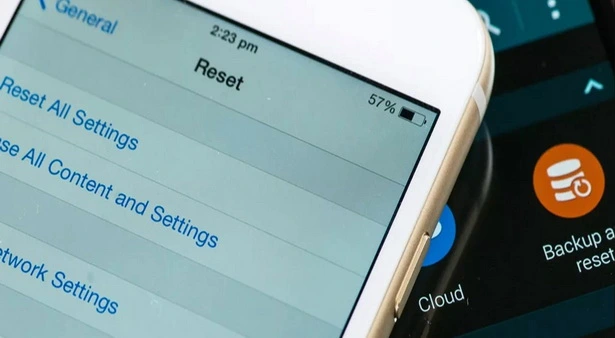
- Click on Reset and then choose Reset All Settings.
- Enter the passcode and confirm the operation.
5. Update iOS or Restore via Recovery/DFU Mode
If the button stopped working after an incomplete update or system malfunction:
- Connect the phone to the computer using an original cable and open iTunes or Finder (on Mac devices).
- Update the phone to the latest available version of iOS.
- If the problem persists, perform a full restore after backing up all your data.
Hardware Solutions and Practical Maintenance
If the software steps did not succeed, the problem is hardware-related. Here are the basic steps and alerts:
[ Check the cleanliness and humidity ] ➔ [ Check the Taptic Engine ] ➔ [ Check the screen and cable ] ➔ [ Maintenance at authorized centers ]
1. Clean the Button Surface and Remove Moisture
Touch buttons operate using capacitive sensing technology. Accumulation of grease, sweaty hands, or water droplets causes loss of response:
- Use a soft lint-free cloth (Microfiber) slightly dampened with isopropyl alcohol (99%).
- Gently clean the area surrounding the Home Button to remove any accumulated dust in the fine gap.
2. Check the Vibration Motor (Taptic Engine)
If the fingerprint sensor works when your finger is placed for unlocking, but the button does not provide a click feel, this means the button is fine and the vibration motor is either malfunctioning or the internal connections are loose.
3. Important Warning About Replacing the Home Button and Touch ID
When considering replacing the Home Button at unauthorized repair centers, the following technical aspect must be taken into account:
- Fingerprint Encryption: The original Home Button is paired with the motherboard via the Secure Enclave processor. Replacing the button with a non-original one will lead to the disabling of the Touch ID feature permanently and possibly trigger a warning message in the system.
- Paired Button: To integrate a new button while retaining the fingerprint and vibration feature, maintenance must be performed at Apple Authorized centers or by using Apple’s official calibration tools (Self Service Repair).
Check out the article: How to use the clipboard on iPhone, find it, and copy from it
Comparison Table and Summary of Solution Options
| Type of Solution | Action Taken | Expected Success Rate | Notes and Effects |
| Activating AssistiveTouch | Using a virtual button on the screen | 100% (Temporary Solution) | Does not fix hardware failure but allows full usage |
| Force Restart | Restarting system components | 40% (In cases of freezing) | Completely safe and does not affect data |
| Resetting Settings | Factory resetting settings | 30% | Only deletes Wi-Fi settings and pairings |
| Updating/Restoring iOS | Reinstalling the entire operating system | 50% (For system errors) | Requires a previous backup |
| Maintenance and Cleaning the Sensor | Removing dust or cable maintenance | 80% (For hardware malfunctions) | Must be done by a specialist technician to calibrate Touch ID |
Frequently Asked Questions (FAQ) About the Home Button on iPhone
Can the Home Button be replaced with a new one and still make the fingerprint work?
The fingerprint does not work automatically when installing a new button from the local market because the fingerprint is encrypted with the main processor. The fingerprint only works if the button is replaced and calibrated using Apple’s official tools or authorized service centers.
The button doesn’t click but unlocks the phone via fingerprint, what is the issue?
This indicates that the capacitive fingerprint sensor is working properly, while the problem lies either in the Taptic Engine or in touch settings and feedback within the system.
Does a cracked screen affect the functioning of the Home Button?
Yes, the cable connecting the Home Button passes through the inner layer of the screen. When the screen is cracked or replaced with a low-quality display, this cable may be damaged, causing the button to stop working completely.
If you have tried all the software steps of restarting and resetting settings and the problem persists, it is advised to take the device to an Apple Authorized Service Provider to check the internal connections and vibration motor and ensure the button and fingerprint functionality are safely restored.