Contents
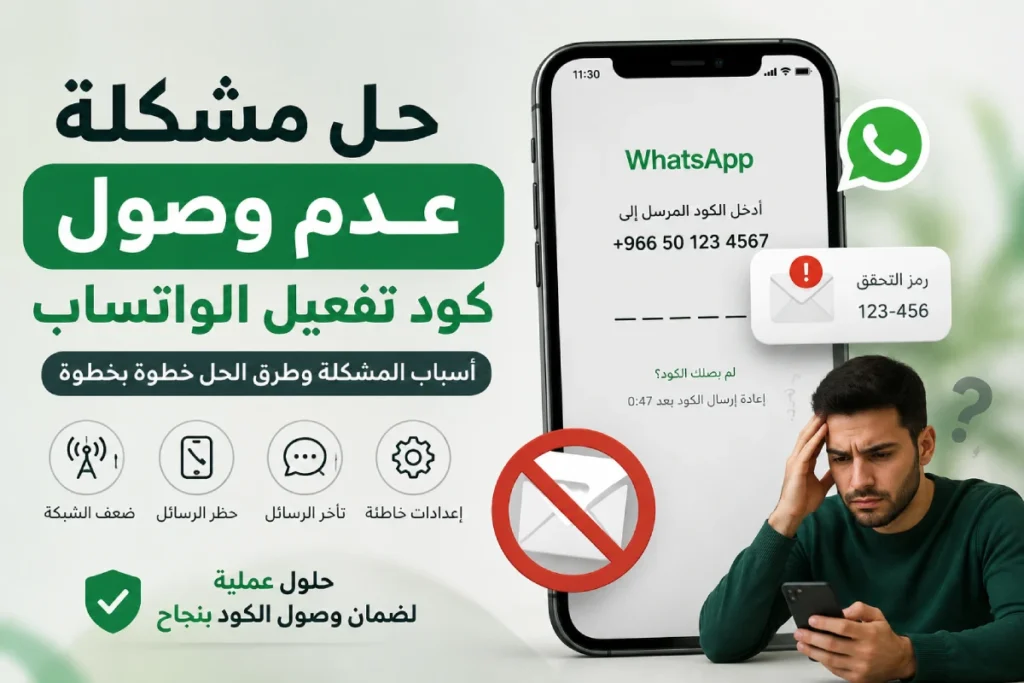
Many users of the WhatsApp application suffer from a common problem represented by the non-receipt of the WhatsApp activation code to their phone number. The difficulty of this problem lies in the halt of the activation process, preventing you from recovering your account or logging in for the first time.
In this article, we will explore the possible reasons behind this problem and provide a final solution based on reliable sources such as the official help page on the WhatsApp website and technical reports from TechCrunch and StackOverflow.
You might be interested in: How to Make WhatsApp Messages Read Only
Common Reasons for Not Receiving the WhatsApp Activation Code
There are various reasons and problems leading to the non-receipt of the WhatsApp activation code, including:
Network Connection Issues: The first reason to consider is poor mobile network signal or internet connection interruptions. If you are connected via 2G or there is a temporary issue with your service provider’s call center, the SMS message may be delayed or may not arrive at all.
Interference from Security Apps and Firewalls: Security applications or firewalls on devices may prevent the arrival of automatic messages. According to reports in the StackOverflow technical forum, some security applications block SMS messages coming from unlisted numbers; thus, you should check the settings of security applications or temporarily disable them.
Incorrect Phone or Phone Number Settings: Sometimes, the country code or phone number is entered incorrectly, such as forgetting to add the country code before the number or incorrectly deleting the extension number. The number may also be blocked by the operator or may be inactive.
Steps to Resolve the WhatsApp Activation Code Not Arriving Issue
Here is a list of official solutions from WhatsApp to resolve the issue of the activation code not arriving:
1. Ensure the Type of Phone Number
There are phone numbers that WhatsApp servers do not support at all for sending activation codes, and this must be clarified to the reader:
Alert Regarding Unsupported Numbers: Ensure that you are using a standard and active phone number; WhatsApp algorithms completely prevent activation codes from being sent to virtual numbers (VoIP), landline numbers, toll-free numbers, and also prepaid numbers that do not have sufficient balance to receive messages and international calls.
(Note: If you want to activate a landline number, you must exclusively use the “WhatsApp Business” application, as it allows you to receive the activation code via a voice call to the landline).
Relevant: How to Hide Last Seen on WhatsApp
2. Use the Email Activation Feature
This is a point unknown to many users and has been added by WhatsApp to resolve network crises:
Receive the Activation Code via Email: If you are re-registering your number and facing issues with the network, WhatsApp now provides you with the option to receive the code via your email, provided you have added the email previously in the account settings or during two-step verification setup.
If you did not receive the SMS code, click on the “Email” option under the “Choose how to verify” section to send the code immediately to your email.
3. Activate the “Wi-Fi Calling” Feature
A very smart technical solution recommended by the company when coverage is weak:
Enable Wi-Fi Calling: If mobile coverage at your location is very weak, go to your phone settings (the factory settings) and activate the “Wi-Fi Calling
4. Disable System Filtering and Optimization Apps
Sometimes, the apps installed on your phone are the root cause:
Disable task killers and SMS-blocking apps: Check the apps installed on your device; certain memory management tools (Task Killers) or third-party SMS management and blocking apps might interfere with the operating system and prevent the WhatsApp verification message from arriving automatically. Temporarily disable these applications during the activation process.
⚠️ Warning against repeated incorrect guesses: If you enter an incorrect verification code multiple times, a suspension message will appear stating: (You have guessed the code too many times). In this case, WhatsApp servers will force you to wait for the specified time displayed on the screen before requesting a new code, and there is no technical method or support team contact that can speed up this waiting period.
Read also: WhatsApp Web Login for PC
General Steps to Resolve the Verification Code Not Arriving Issue
Here are several practical steps that might be easily overlooked, which can help resolve the WhatsApp verification code delivery issue:
Check Network and Internet Connection
The first practical step is to ensure the strength of your cellular signal or Wi-Fi connection. Try opening a webpage in your browser to confirm that the internet connection is running smoothly. If you are using a weak network, try switching the SIM card between device slots or moving to an area with better coverage.
Restart the Device and Update the Application
According to official WhatsApp Support, restarting your phone can help fix temporary system glitches. It is also recommended to verify that the app is updated via the Google Play Store or App Store, as older versions may contain bugs that block message delivery.
Request the Code via Phone Call
WhatsApp offers an option to receive your verification code via a voice call instead of an SMS text message. If the text message fails to arrive after multiple attempts, select “Call me” to receive the verification code as an automated voice call. This method minimizes the likelihood of encountering SMS network delivery issues.
Use an Alternative Phone Number or a Different SIM Card
If you cannot receive the code on your current number, try using a SIM card from a different carrier or a temporary alternative phone number, then re-register with your primary number later. Occasionally, temporary network blocks or routing errors occur within specific carrier message centers.
Additional Steps to Prevent Future Verification Issues
- Ensure your email address and backup phone number are updated in WhatsApp settings.
- Avoid installing applications from untrusted sources that could interfere with receiving messages.
- Avoid switching SIM cards during the activation process until it is fully completed.
- Always use the official version of WhatsApp to prevent technical issues.
Other articles: How to Transfer WhatsApp Chats from Android to iPhone for Free
Frequently Asked Questions
There may be a temporary delay with your mobile network provider or an entry error (such as omitting the country code). It is recommended to double-check that you entered the full phone number correctly and try again after a few minutes.
Yes, WhatsApp imposes a limit on code request attempts within a specific timeframe as a security measure against unauthorized access. If you exceed this limit, you will be unable to request another code until the required waiting period passes (typically 24 hours).
If the code arrives after a long delay, enter it immediately before it expires (each code is valid for only a few minutes). If the code is marked as incorrect, verify that you didn’t trigger multiple requests, and try using the “Call me” option instead.