Contents
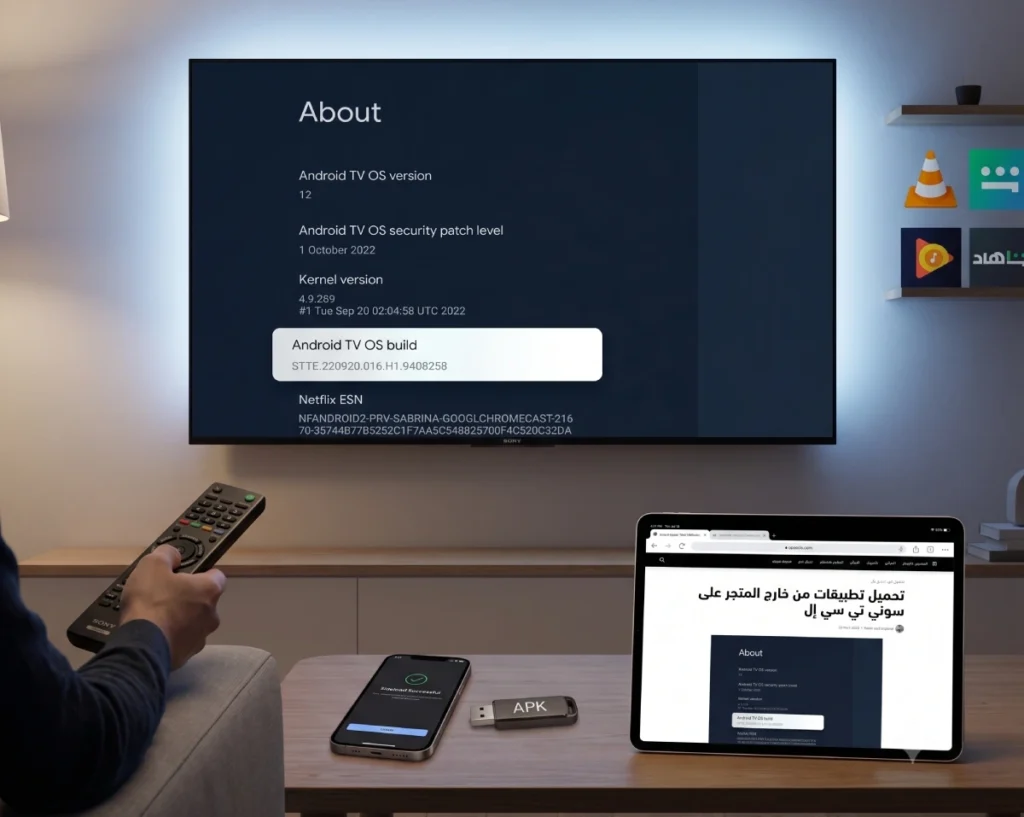
Smart TVs have become an integral part of daily home entertainment, with Sony and TCL leading sales thanks to their picture quality and advanced technologies. However, users may sometimes face the desire to run a specific application, live streaming program, or games they find on their phone but do not see available in the official TV store.
In this comprehensive guide, we will detail how to download applications on Sony TCL Smart TV Hisense Philips.. from outside the store, understand the nature of the system, and run popular entertainment applications like the “Shahid” app and others easily and safely.
Also read: Solve the Slow Issue on Smart Android TV
Screens Running Android and Google TV Interface
Before starting the practical explanation, it is essential to understand the system that lies within your screen. Both Sony and TCL rely on the Android TV OS developed by Google as the fundamental operating system for the TV.
In recent models (launched in the last few years up to 2026), Google has developed the interface to operate under the name Google TV. This means that:
- Android is the mastermind and hidden system that allows reading APK files and applications.
- Google TV is the visual design and smart interface that arranges movies and applications for you.
Other types of screens operate on Google and Android systems:
- Hisense Screens: Considered one of the largest competitors currently, most of its modern and powerful models (like Mini-LED and QLED categories) have fully switched to Google TV, thus the same explanation applies to them.
- Xiaomi / Mi TV Screens
- Philips / Sharp / Toshiba Screens
- Budget and local brands (Skyworth, Impex, Nikai, Nikura… etc.).
- External streaming devices: for example, Amazon Fire TV Stick (the Fire OS system is originally built on Android, and the external installation method is very similar and runs the same APK applications). Chromecast with Google TV (directly from Google).
You may also be interested in: How to Factory Reset Samsung TV
Activating Developer Options
Google has increased security in modern Google TV interfaces, and you will not see the option to install external applications unless you enable Developer Options. Follow these steps first on your TV (Sony or TCL):
- Press the settings button on the remote and then select Settings from the screen.
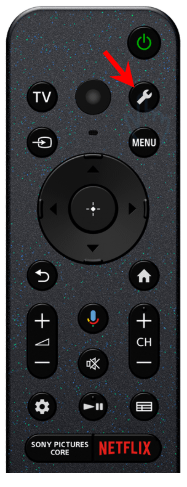
- Go to System and then select About.
- Scroll down until you reach the Android TV OS Build option.
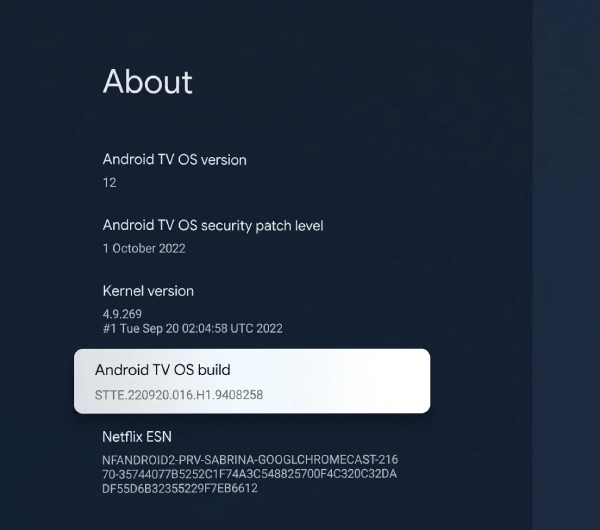
- Press the select button on the remote (OK) 7 times in a row quickly.
- A message will appear at the bottom of the screen saying: “You are now a developer!” (You are now a developer).
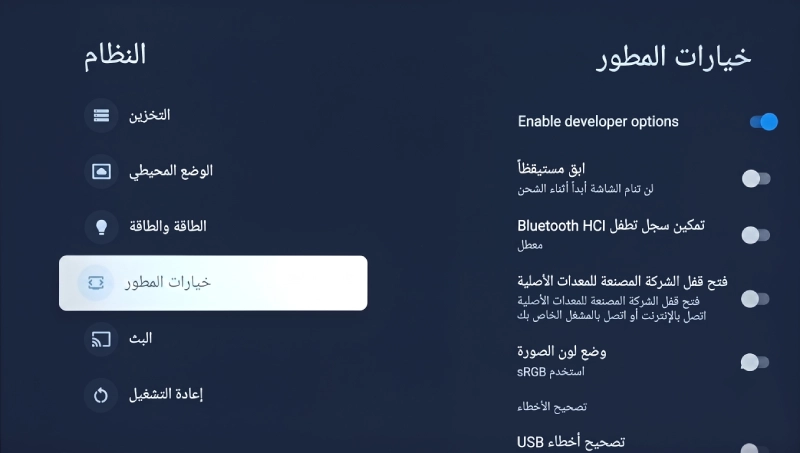
- Return to the previous system menu to find the Developer option activated.
Downloading Applications on Smart TV from Outside the Store (Sideloading)
There are two easy and globally trusted methods to transfer and install external APK files on the TV:
Method One: Using the Downloader App (The Easiest and Fastest)
This method relies on fetching the application directly from the internet to the TV via a direct link.
- Activate Developer Options as explained earlier.
- Go to the official TV store, search for a free app called Downloader (its icon is orange) and install it.
- Before opening the app, go to TV Settings > Apps > Security & Restrictions > Install apps from unknown sources. You will find the Downloader app; activate the button next to it to allow installation.
- Open the Downloader app, and type the direct link to the desired APK file in the search box (you can use trustworthy websites like APKMirror to fetch safe app links).
- After the download completes, the app will handle opening the installation file; press Install to have the app on your screen.
Method Two: Using Send Files to TV (from your phone)
If the application file is available on your mobile phone and you want to send it to the TV wirelessly:
- Activate Developer Options.
- Install the Send Files to TV app on your TV and on your Android phone (available in the Google Play Store for both).
- Ensure that the phone and the TV are connected to the same Wi-Fi network.
- On the TV, open the app and select Receive, and on the phone, open the app and select Send and choose the APK file stored in your phone’s memory.
- The TV name will appear on the phone; press it to transfer the file in a few seconds.
- To install the sent file, you will need a file manager app on the TV (like File Commander or FX File Explorer), open it, go to the downloads folder (Downloads), press the file, and install it after granting the file manager permission for unknown sources.
Also read: How to Display Phone Screen on TV
Downloading Applications on Smart TV from the Official Store
Despite the flexibility of external installations, it is always advised to first search in the official TV store to ensure obtaining stable versions that receive automatic updates. To access the hidden Google Play Store in the new Google TV interface:
- Press the microphone button on the remote and say: “Google Play Store” to open the full store directly.
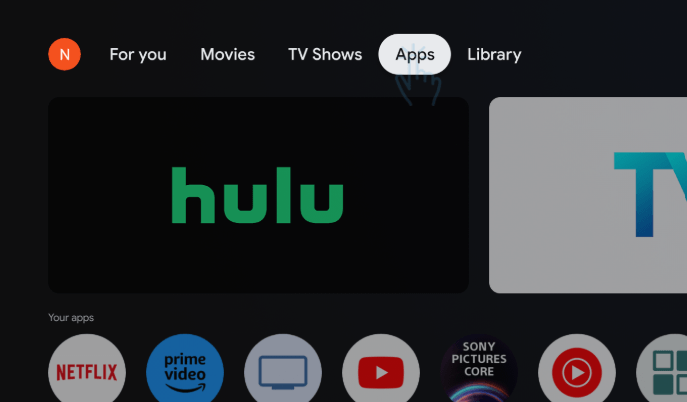
- Or press the home button on the remote
- to navigate to the Apps section in the top tab of the interface.
- Press the search box Search for apps and games.
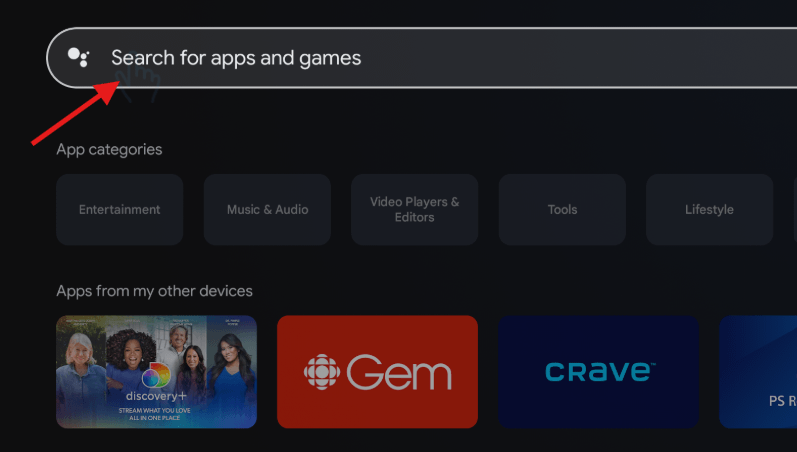
- Type the name of the app you want (such as YouTube, Netflix, or measurement programs) and press Install then Open to launch it.
Most Important Applications for Smart Android Screens
If you own a screen running Android or Google TV, here is a list of the most important applications that enhance the screen’s efficiency and provide you with remarkable experiences:
| Application Name | Benefit for the Smart Screen |
| VLC for Android | The best video player to play all movie formats and content from USB flash drives. |
| Puffin TV Browser | A fast internet browser specifically optimized for browsing via the TV remote. |
| Sideload Launcher | An application that shows you the icon of the external applications you installed that may disappear from the main interface. |
| Background Apps & Process List | An excellent application to close programs running in the background to speed up the screen and free up RAM. |
Downloading Shahid on Sony / TCL TV
The Shahid (Shahid VIP) application is the largest Arab entertainment platform, and some models aimed at specific markets may face a lack of the app’s appearance in the store, or the user may want to update it manually.
To download Shahid on Sony and TCL TV, you can follow these steps:
- The Official Method: The Shahid app is officially available in the Google Play Store for certified screens in the Middle East. All you have to do is search for the word “Shahid” in the apps section and install it.
- The External Method (if not appearing): If your screen is an American or European version and does not show Shahid in the store, follow the Downloader app method explained above, search in the Downloader browser for “Shahid for Android TV APK” via APKMirror, and download the version dedicated for TV, then install it manually to enjoy streaming in full quality compatible with the remote control.
Frequently Asked Questions about Sony and TCL Screen Applications
This process is done by downloading the application file in APK format from a reliable site on your computer or phone, then transferring it via USB or wirelessly using the Send Files to TV app, and installing it manually after activating Developer Options and allowing unknown sources.
In the Google TV interface, some external applications may not appear in the main list because they are not officially configured for the TV interface. To locate them: go to Settings > Apps > See all apps, and you will find them there. Alternatively, you can download a helper app like Sideload Launcher to collate them in one place.
No, this is a software feature officially supported by the Android system for developers and users, and it does not void the TV warranty (such as Sony or TCL). However, always be cautious and download apps from trusted sources to avoid harmful files that could burden the operating system.