Contents
Before purchasing any smart device, television, smartphone, or computer, it’s essential to know the difference between OLED, AMOLED, and IPS display types. The difference is fundamental and significant, as these screens differ in picture quality, color purity, and definitely in price as well.
As we know, display technology is an influential factor in the user experience whether in smartphones, televisions, or computer screens. OLED, AMOLED, and IPS technologies compete to provide the best picture quality in terms of colors, lighting contrast, and energy efficiency.
In this article, we will simply and easily outline the characteristics of each technology and compare them based on multiple criteria to help you choose the most suitable option according to your needs.
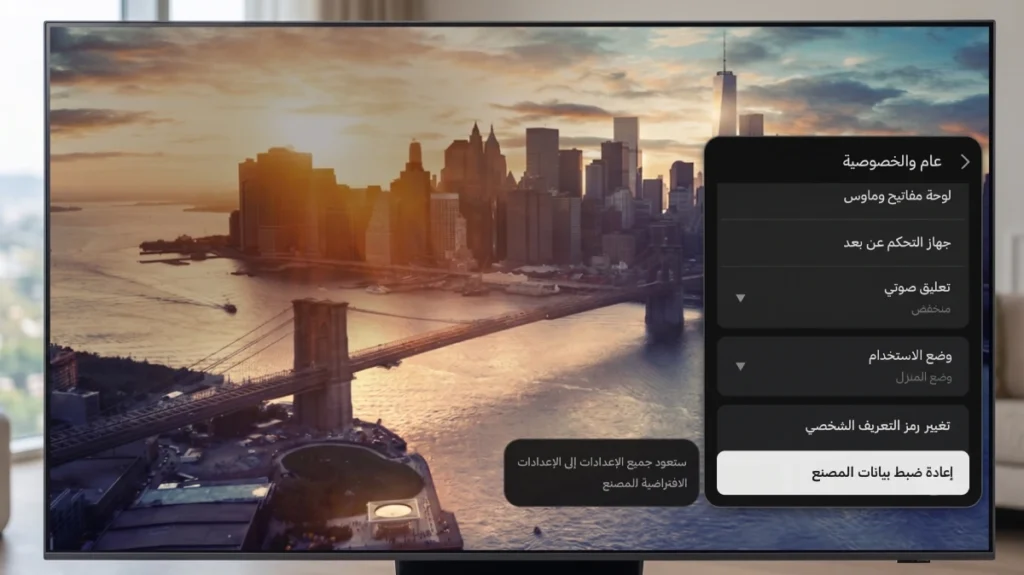
You may also be interested in: How to Factory Reset a Samsung Screen
What Are OLED Screens?
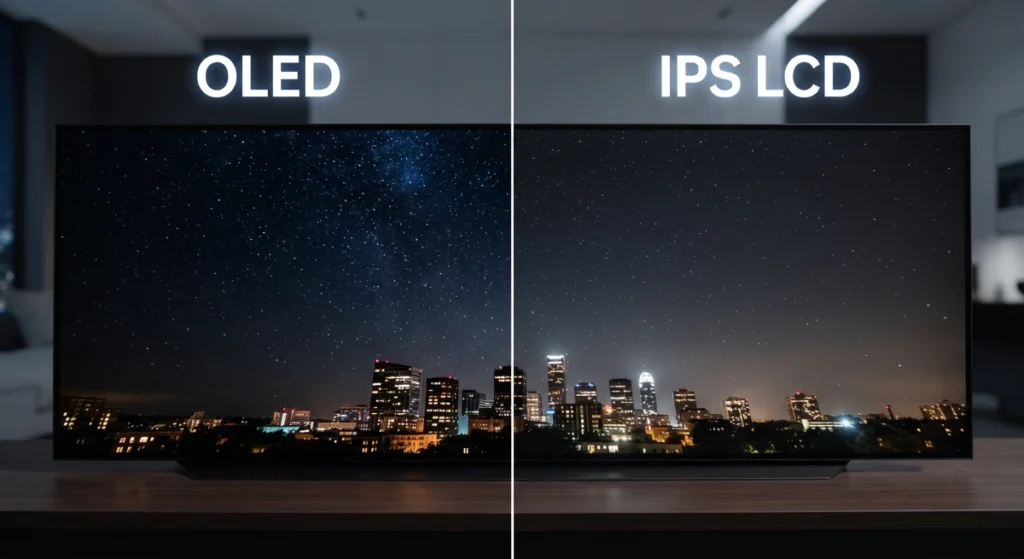
OLED (Organic Light-Emitting Diode) screens rely on a mixture of organic compounds that emit light when electric current passes through. This structure allows each pixel to light up or turn off independently, resulting in high levels of contrast and unmatched deep blacks. Some notable features of OLED include:
- True Black: When the pixel is off, it shows absolute black.
- Fast Response: Suitable for fast games that require a high frame rate.
- Wide Viewing Angle: Provides true colors when viewed from different angles.
However, this technology has some downsides, such as the risk of pixel burn-in over the long term and relatively high production costs.
What Is AMOLED Technology?
AMOLED is indeed an advancement of OLED technology, where a thin layer of an active matrix circuit is added to the organic layers to allow organized and precise control of each pixel. The main differences between it and traditional OLEDs are:
- Higher Pixel Density: A clearer and more detailed image quality.
- Advanced Refresh Rate: Supports refresh rates of up to 120 Hz or more.
- Energy Efficiency in Dark Scenes: Clearly superior thanks to the self-turn-off pixel feature.
Several reports, such as the DisplayMate report, have indicated that AMOLED screens offer superior performance in colors and black depth compared to traditional OLED screens.
Check out: Fixing the Slow Response Issue of Smart Android TVs
What Is IPS Technology?
IPS (In-Plane Switching) technology is a type of LCD (Liquid Crystal Display) where the liquid crystals are positioned horizontally between two layers of glass. This arrangement helps improve the viewing angle compared to traditional TN technologies, and the features of IPS include:
- High Color Accuracy: Colors tend to be vibrant and realistic.
- Excellent Clarity Under Bright Lighting: Operates with independent backlighting technology (Backlight) meaning there is no self-lighting for the pixels here, which makes the black color unrealistic.
- Longer Durability: Typically does not suffer from pixel burn-in issues.
On the downside, IPS screens consume more energy in dark scenes and may not reach the same contrast levels present in OLED and AMOLED.
Comparison Between OLED, AMOLED, and IPS
To accurately determine which technology is better, the following criteria should be compared:
1. Color Quality and Contrast
OLED and AMOLED screens excel in providing high color contrast up to 1,000,000:1 according to DisplayMate, thanks to the ability to turn off pixels completely. IPS screens provide lower contrast (about 1,000:1), but maintain good color accuracy in most uses.
2. Power Consumption
In dark scenes, power consumption in OLED and AMOLED screens decreases because pixels can be turned off independently. Meanwhile, IPS screens need backlighting to work at full power all the time, which increases battery consumption in smartphones, for instance.
3. Refresh Rate and Pixel Response
AMOLED screens excel in supporting high refresh rates from 90 Hz to 144 Hz or more, with a response time of less than 1 millisecond. Modern IPS technologies have reached 120 Hz, but response time is usually between 4 to 8 milliseconds.
4. Viewing Angle
All technologies provide good viewing angles compared to TN, but OLED and AMOLED maintain colors at an angle of 170 degrees or more. IPS screens support angles up to 178 degrees, with a slight potential loss in contrast.
5. Lifespan and Burn-in Issues
One of the significant drawbacks of OLED and AMOLED is pixel burn-in (Image Retention), especially when displaying static images for long periods. Manufacturers typically work to mitigate this issue through various protection techniques. In contrast, IPS screens do not suffer from this phenomenon, making them more durable in office environments or prolonged use.
Here is a detailed comparison table between display technologies: OLED, AMOLED, and IPS:
| Comparison Aspect | OLED Screens | AMOLED Screens | IPS LCD Screens |
| Operating Method | Relies on an organic material that emits light by itself, which means no need for any backlight. | Is a direct development of OLED technology, with an added active matrix for each pixel to organize its function and speed of response accurately. | Relies on a fixed backlight that passes through a layer of liquid crystals and color gates to form the image. |
| Lighting and Black Control | Each pixel is controlled completely independently; when displaying black, the pixel is turned off entirely to give you “true and absolute black.” | Identical to OLED in its ability to turn off pixels to achieve deep and real blacks and an amazing visual depth. | Relies on backlighting that operates continuously, making the black color appear grayish or dim due to the inability to completely turn off the light. |
| Contrast and Visual Realism | Infinite contrast, where fine details become clear even in the darkest scenes due to light and dark contrast. | Very high contrast and vibrant colors offer eye comfort and high visual appeal. | Medium and limited contrast, but features very realistic natural color accuracy away from any excess saturation. |
| Power Consumption | Highly efficient in displaying dark interfaces and backgrounds (Dark Mode) since black pixels consume no energy. | Consumes much less energy in dark scenes and excels in handling smart device batteries. | Relatively high and stable power consumption, as the backlight operates at full power throughout the screen’s active period. |
| Speed and Motion Smoothness | Immediate and extremely fast response for every movement on the screen, making it ideal for fast-paced graphics and games. | Extremely fast touch and movement response, specifically designed to suit rapid interaction in mobile phones. | Good and stable response speed, but less efficient than organic screens in very fast movements. |
| Lifespan and Resistance | Prone to “screen burn” (Burn-in) issues over the long term if the same image remains static for extended periods at maximum brightness. | Significantly improved in recent versions, but still affected by gradual burn-in probabilities under harsh and rigorous use. | Has a much longer lifespan and excellent resistance to prolonged wear or static images. |
| Cost and Usage Scope | High cost and often used in large televisions and leading screens. | Manufacturing costs are high, mainly focused on smartphones and wearable devices. | Extremely cost-effective, considered the first choice for computer screens and midrange to economical devices. |
You can share the comparison table as a PDF file
Which Is Better?
There is no single answer that applies to all users, as the choice depends on priorities:
- For those interested in deep colors and high contrast for movie watching: OLED or AMOLED are the best options (LG).
- For professional gaming enthusiasts: AMOLED thanks to its fast response and high refresh rates.
- For users on a budget or for office use: IPS Screens offer high value at a lower cost and long durability.
Despite the superiority of OLED and AMOLED in picture quality, the high cost and risk of burn-in may make IPS screens a practical and reliable alternative for certain user categories.
Tips for Choosing the Right Screen
- Before purchasing, check the refresh rate and resolution of each screen and whether it supports HDR.
- Read user reviews and practical tests, especially for local smartphone or screen models.
- If you will be using the screen for long periods, consider investing in a clearly visible IPS screen in strong ambient light.
- To reduce burn-in risks in OLED/AMOLED, try to frequently change the screen content and use dark mode or screen savers.
Check out the article: Downloading Apps on Sony TCL Smart Screen from Outside the Store
Frequently Asked Questions
Does AMOLED technology illuminate the screen better in sunlight?
Yes, modern AMOLED screens can reach brightness levels of over 1000 nits, helping achieve clear visibility in direct sunlight, according to CNET tests.
What is the difference in battery consumption between IPS and AMOLED?
In dark scenes, AMOLED consumes much less power as it turns off pixels. However, in scenes with bright or very light colors, it may consume the same amount of energy or slightly more compared to IPS screens.
Can IPS screens outlast OLED or AMOLED?
Generally, IPS screens last longer as liquid crystals do not suffer from pixel burn-in. Meanwhile, OLED/AMOLED screens gradually lose their color quality and brightness after thousands of hours of intensive use.
Conclusion
Both OLED and AMOLED technologies offer a rich visual experience with contrasting colors, deep blacks, and ultra-fast response times, while IPS screens remain a reliable and practical choice for various everyday uses due to their high accuracy and durability. When selecting the ideal screen, consider the type of usage (entertainment, gaming, office work), your budget, and how much risk you can tolerate for long-term burn-in. With this balanced approach, you will be able to make an informed decision that perfectly fits your needs.